

Google Tag Manager Offline Conversion Tracking
Not on WordPress? No problem. LeadTrackr's GTM integration captures form submissions from any website, including Webflow, Typeform, Jotform, and custom HTML. Works with client-side and server-side Google Tag Manager.
What it does
What Is GTM Offline Conversion Tracking?
GTM offline conversion tracking is the process of using Google Tag Manager to capture form submissions on any website and send them to LeadTrackr with complete ad attribution data. Google Tag Manager is a tag management system that lets you deploy and manage marketing tags without editing website code. LeadTrackr provides a GTM tag template that, once imported, listens for form submission events on your site and captures the submission data along with click identifiers and UTM parameters.
This connection method works with any website platform including Webflow, Squarespace, custom-built sites, and even WordPress when the plugin approach is not preferred. LeadTrackr also supports server-side GTM for enhanced data accuracy and reduced client-side load. For advanced use cases, a REST API is available for fully custom integrations.
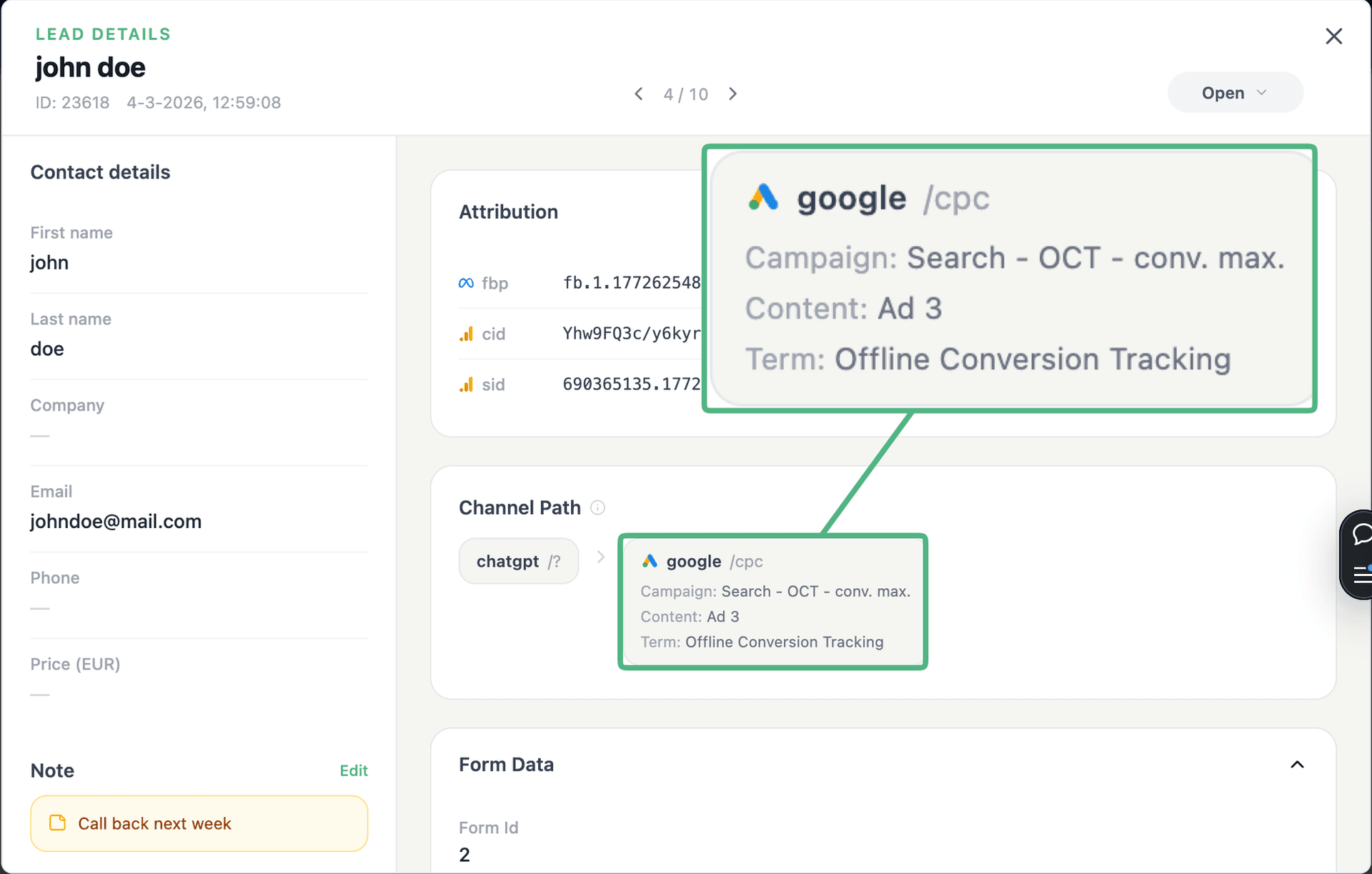
See the full customer journey of every form lead
The moment a form is submitted, LeadTrackr captures the lead with full attribution — the campaign, ad, keyword and landing page behind it. Qualify it with one click and follow the whole path, from the first ad click to the closed deal.
- Every lead tied to its campaign, ad & keyword
- One-click qualification, synced back to your ad platforms
- The full path from form fill to closed deal
Plug & play
Forms that work with Google Tag Manager
Connect Google Tag Manager once — these form tools are captured automatically, with no extra setup.








How it works
Setup in 4 Steps
Add LeadTrackr Tag
Configure Triggers
Publish Container
Verify Data Flow
Get started free
Start tracking real conversions with Google Tag Manager
Connect it in minutes — no developer needed.
5-min setup · cancel anytime

FAQ
Frequently asked questions
Get started free
Connect Google Tag Manager with LeadTrackr
Set up Google Tag Manager in minutes — no developer needed.
5-min setup · cancel anytime