

Meta & Facebook Ads Offline Conversion Tracking
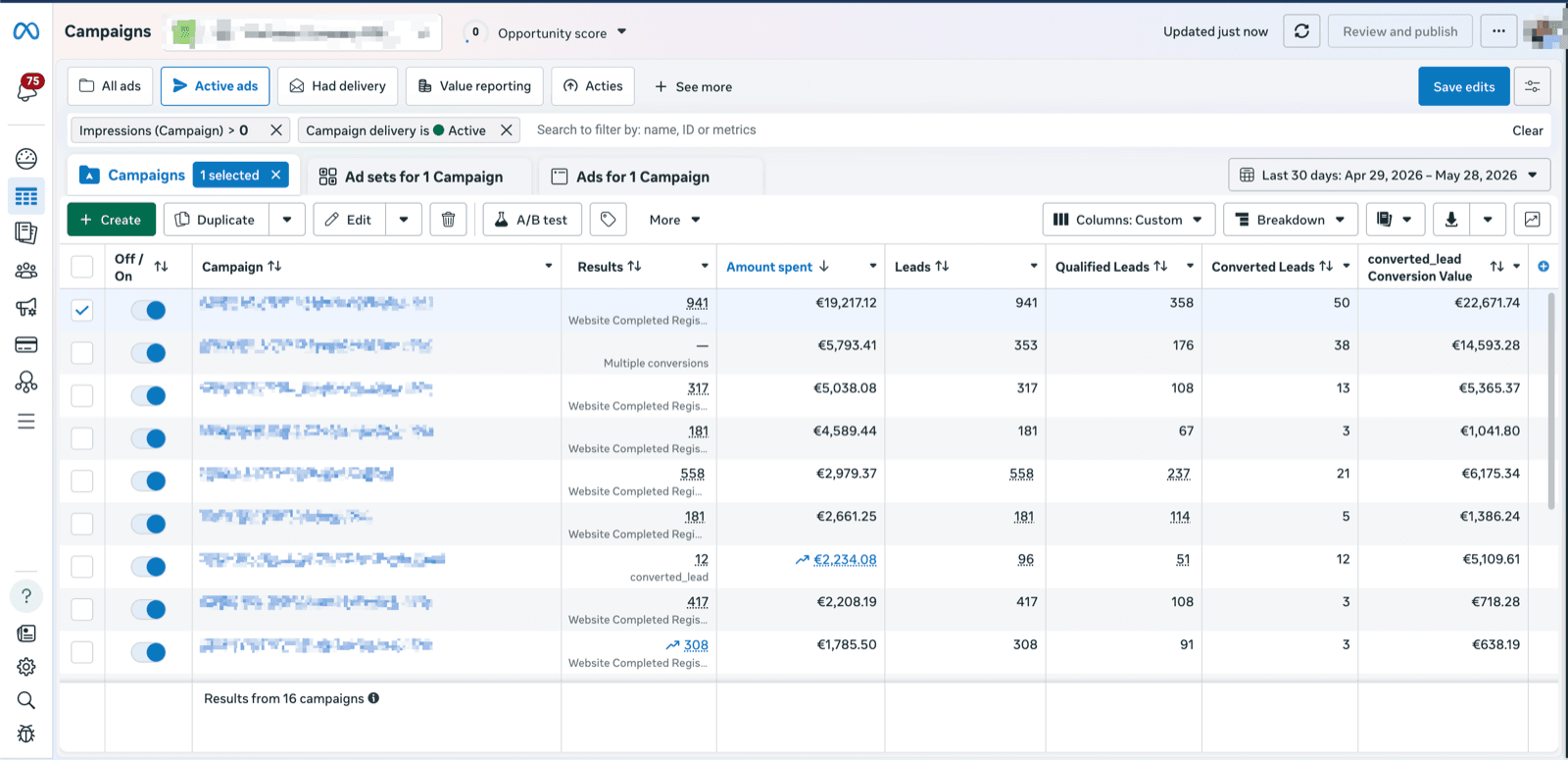
Feed real sales data back to Meta's ad algorithm. LeadTrackr sends offline events with values to Facebook & Instagram via the Conversions API, so Ads Manager reports and optimizes on leads that actually buy.
| Campaign | Spend | Form fills | Qualified | Sales value |
|---|---|---|---|---|
| Lookalike 1% | €3,600 | 180 | 27 | €24.6k |
| Retargeting — IG | €2,200 | 124 | 18 | €16.1k |
| Prospecting | €1,900 | 156 | 8 | €7.4k |
| Broad | €1,400 | 240 | 3 | €2.1k |
Illustrative figures.
What it does
What Is Meta Ads Offline Conversion Tracking?
Meta Ads offline conversion tracking is the practice of sending real sales outcomes from your CRM or lead management tool back to Meta so its delivery algorithm can learn which ad clicks generate actual customers. The Meta Pixel alone only captures on-site actions like page views and form submissions — it cannot see what happens after the lead enters your sales pipeline. Since Meta discontinued the legacy Offline Conversions API on May 14, 2025, offline events are uploaded through the Conversions API (CAPI), either as manual uploads in Events Manager or automatically from your CRM.
Each offline event can carry a value and currency plus hashed identifiers — email, phone, fbclid — that determine its Event Match Quality. Meta accepts offline events up to 62 days after the conversion, though uploading within 48 hours gives the best match rates. Without this feedback loop, Meta optimizes on volume alone, spending budget on clicks that generate form fills but rarely become paying customers.
How to
How to track the value of offline conversions in Meta Ads Manager
Include a value and currency on every offline event you send to Meta — via the Conversions API or a manual upload in Events Manager. Once events are matched, the value shows up in the Conversion Value and ROAS columns of Ads Manager.
- Step 1
Prepare your event data
Each offline event needs an event name (like Purchase or QualifiedLead), an event time, a value, a currency, and at least one identifier: hashed email, hashed phone, or the fbclid captured with the original ad click.
- Step 2
Send events via the Conversions API
Upload events server-side through the Conversions API — the supported route since the legacy Offline Conversions API was discontinued in May 2025 — or upload manually to your offline data source in Events Manager.
- Step 3
Stay inside the upload window
Meta accepts offline events up to 62 days after the conversion. Upload within 48 hours where possible: fresher events match better and steer delivery sooner.
- Step 4
Check Event Match Quality
Open your data source in Events Manager and review the Event Match Quality score. More hashed identifiers per event mean a higher match rate — and more attributed value.
- Step 5
Read the value in Ads Manager
Add the Conversion Value and ROAS columns to your campaign view. Matched offline events now report per campaign, ad set, and ad. LeadTrackr automates this whole loop from your CRM.
How LeadTrackr compares
| Feature | LeadTrackr | Zapier + Sheets | Custom Development |
|---|---|---|---|
| Setup time | 5 minutes | 5+ hours | 40+ hours |
| Auto-captures click IDs (GCLID, fbclid) | — | ||
| Full attribution tracking | — | ||
| Lead qualification dashboard | — | — | |
| Enhanced Conversions for Leads | — | ||
| Meta Conversions API | — | ||
| GA4 Measurement Protocol | — | ||
| No coding required | — | ||
| Automatic updates | — | — | |
| GDPR compliant | Depends | Depends | |
| Starting price | €19/mo | $29.99/mo | €2,000+ |
Comparison based on typical implementation. Custom development costs vary by agency and scope.
Connections
Connect any CRM to Meta Ads
Pick the CRM your team uses — it qualifies the lead, LeadTrackr pushes the conversion to Meta Ads.



How it works
How to Set Up Meta Offline Conversion Tracking in 4 Steps
Connect Meta Business
Configure Conversions API
Qualify Leads
Optimize Delivery
Get started free
Start tracking real conversions with Meta Ads
Connect it in minutes — no developer needed.
5-min setup · cancel anytime
Integrations
Related integrations


LinkedIn Ads
Coming soonSend qualified B2B lead data back to LinkedIn Campaign Manager via the Conversions API. Optimize LinkedIn campaigns on leads that close, not just leads that click.


FAQ
Frequently asked questions
Get started free
Connect Meta Ads with LeadTrackr
Set up Meta Ads in minutes — no developer needed.
5-min setup · cancel anytime