

Google Ads Offline Conversion Tracking
Stop optimizing Google Ads on form fills. LeadTrackr pushes real sales data back to Google Ads so your campaigns find buyers, not just clickers.
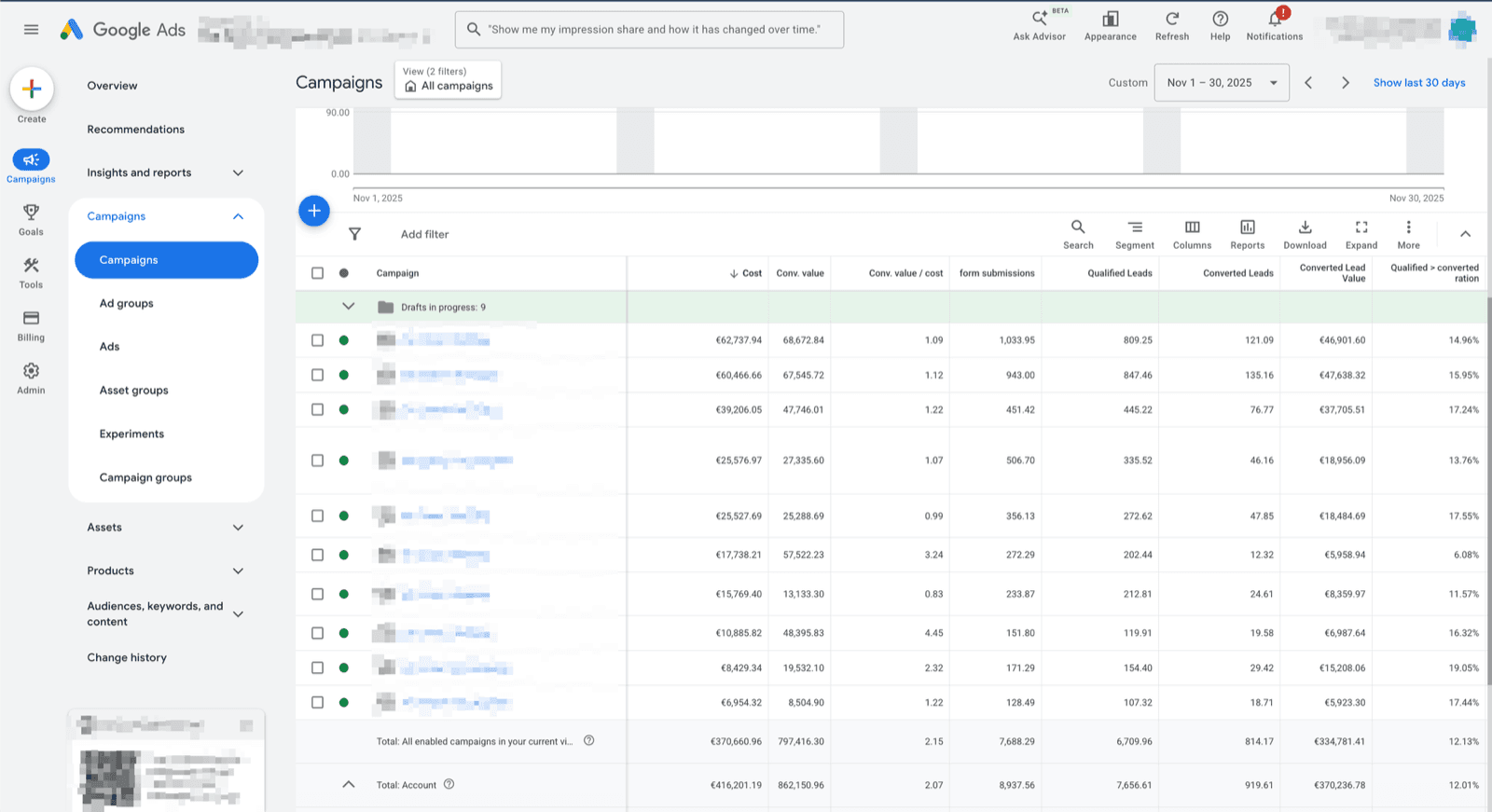
| Campaign | Spend | Form fills | Qualified | Sales value |
|---|---|---|---|---|
| Kitchen — Search | €4,800 | 142 | 38 | €38.4k |
| Bathroom — Search | €3,100 | 98 | 21 | €19.2k |
| Brand — Search | €1,200 | 210 | 12 | €9.1k |
| Display — Remarketing | €2,400 | 320 | 4 | €2.8k |
Illustrative figures.
What it does
What Is Google Ads Offline Conversion Tracking?
Google Ads offline conversion tracking is the process of sending real-world sales outcomes back to Google Ads after a visitor clicks an ad and submits a form on your website. By default, Google Ads only knows about the click and the form submission — it has no visibility into whether that lead became a paying customer. There are three official routes to close that gap: importing conversions by GCLID (Google Click ID), Enhanced Conversions for Leads — Google’s recommended method for lead generation, which matches on hashed email or phone instead of a stored click ID — and programmatic uploads through the Google Ads API, which Google is consolidating into the Data Manager API in 2026.
Conversions can be imported up to 90 days after the click and are attributed to the original click date. This feedback gives Smart Bidding the signal it needs to optimize toward actual revenue rather than raw lead volume: better keyword bidding, lower cost per acquisition, and higher return on ad spend.
How to
How to upload offline conversions to Google Ads
Every upload route needs the same four ingredients: an identifier captured at the click, a conversion action in Google Ads, the conversion time and value, and a way to deliver the upload — manual import, the API, or a tool that automates it.
- Step 1
Capture an identifier with every lead
Store the GCLID from the ad click in a hidden form field, or capture the lead’s email and phone for Enhanced Conversions for Leads — no click ID storage required. Keep it on the lead record in your CRM.
- Step 2
Create an import conversion action
In Google Ads go to Goals → Conversions → New conversion action → Import, and choose conversions from clicks. This is the conversion action your offline uploads will feed.
- Step 3
Choose your upload route
Manual: a scheduled sheet or CSV import by GCLID. Programmatic: the Google Ads API (moving to the Data Manager API). Automated: a tool like LeadTrackr that uploads via Enhanced Conversions for Leads when your CRM stage changes.
- Step 4
Send the conversion with time and value
Upload within 90 days of the click. The conversion is attributed to the original click date, so campaign history stays accurate and Smart Bidding sees the true time-to-conversion.
- Step 5
Bid on the imported conversion
Set the imported action as a primary conversion and switch campaigns to Target CPA or Target ROAS. With consistent volume, the algorithm shifts budget toward clicks that become customers.
How LeadTrackr compares
| Feature | LeadTrackr | Zapier + Sheets | Custom Development |
|---|---|---|---|
| Setup time | 5 minutes | 5+ hours | 40+ hours |
| Auto-captures click IDs (GCLID, fbclid) | — | ||
| Full attribution tracking | — | ||
| Lead qualification dashboard | — | — | |
| Enhanced Conversions for Leads | — | ||
| Meta Conversions API | — | ||
| GA4 Measurement Protocol | — | ||
| No coding required | — | ||
| Automatic updates | — | — | |
| GDPR compliant | Depends | Depends | |
| Starting price | €19/mo | $29.99/mo | €2,000+ |
Comparison based on typical implementation. Custom development costs vary by agency and scope.
Connections
Connect any CRM to Google Ads
Pick the CRM your team uses — it qualifies the lead, LeadTrackr pushes the conversion to Google Ads.



How it works
How to Set Up Google Ads Offline Conversion Tracking in 4 Steps
Connect Google Ads
Map Conversion Actions
Qualify Leads
Watch Smart Bidding Improve
Get started free
Start tracking real conversions with Google Ads
Connect it in minutes — no developer needed.
5-min setup · cancel anytime
Integrations
Related integrations



LinkedIn Ads
Coming soonSend qualified B2B lead data back to LinkedIn Campaign Manager via the Conversions API. Optimize LinkedIn campaigns on leads that close, not just leads that click.


FAQ
Frequently asked questions
Get started free
Connect Google Ads with LeadTrackr
Set up Google Ads in minutes — no developer needed.
5-min setup · cancel anytime