

Google Analytics 4 Offline Conversion Tracking
Send qualified lead events to GA4 for cross-platform analysis. Build audiences from real converters and measure true campaign performance across channels.
| Campaign | Spend | Form fills | Qualified | Sales value |
|---|---|---|---|---|
| Paid Search | €5,100 | 168 | 44 | €41.2k |
| Paid Social | €3,400 | 142 | 25 | €22.8k |
| Organic | — | 210 | 14 | €12.5k |
| Referral | — | 64 | 5 | €4.6k |
Illustrative figures.
What it does
What Is Google Analytics 4 Offline Conversion Tracking?
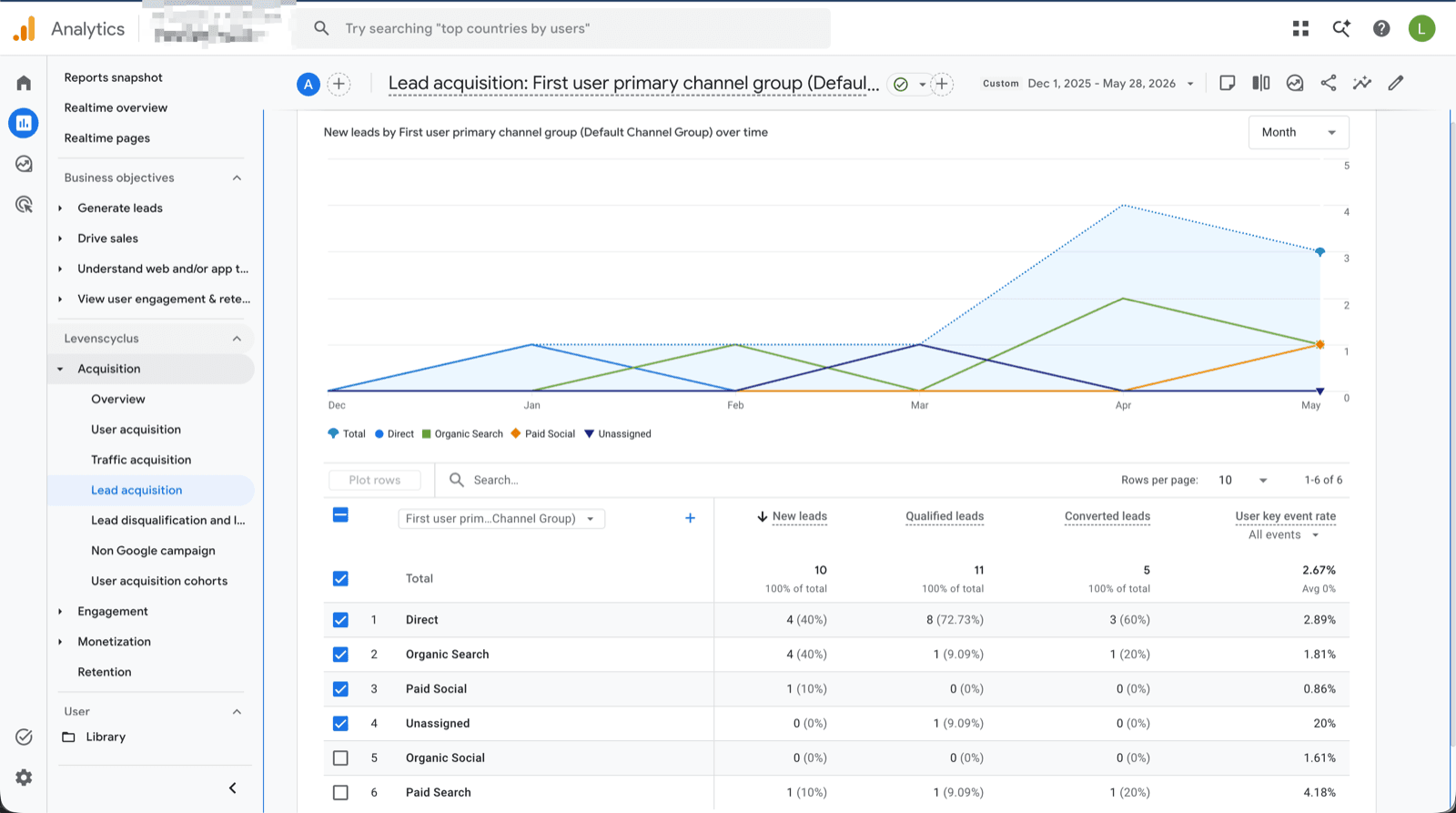
Google Analytics 4 offline conversion tracking is the process of sending real sales outcomes and lead qualification events to your GA4 property after they occur outside your website. GA4 is built on an event-based data model, which makes it well suited for receiving server-side events via the Measurement Protocol. By sending qualified lead and converted lead events from LeadTrackr, you enrich your GA4 reports with revenue-stage data that would otherwise be invisible.
This allows you to build GA4 audiences based on real buyers, create more accurate attribution reports, and share high-quality audience segments with linked Google Ads accounts for remarketing. Without offline conversion data, GA4 only shows the top of your funnel, leaving you blind to which campaigns actually drive revenue.
How LeadTrackr compares
| Feature | LeadTrackr | Zapier + Sheets | Custom Development |
|---|---|---|---|
| Setup time | 5 minutes | 5+ hours | 40+ hours |
| Auto-captures click IDs (GCLID, fbclid) | — | ||
| Full attribution tracking | — | ||
| Lead qualification dashboard | — | — | |
| Enhanced Conversions for Leads | — | ||
| Meta Conversions API | — | ||
| GA4 Measurement Protocol | — | ||
| No coding required | — | ||
| Automatic updates | — | — | |
| GDPR compliant | Depends | Depends | |
| Starting price | €19/mo | $29.99/mo | €2,000+ |
Comparison based on typical implementation. Custom development costs vary by agency and scope.
Connections
Connect any CRM to Google Analytics 4
Pick the CRM your team uses — it qualifies the lead, LeadTrackr pushes the conversion to Google Analytics 4.



How it works
Setup in 3 Steps
Connect GA4
Configure Events
Analyze & Build Audiences
Get started free
Start tracking real conversions with Google Analytics 4
Connect it in minutes — no developer needed.
5-min setup · cancel anytime
Integrations
Related integrations



LinkedIn Ads
Coming soonSend qualified B2B lead data back to LinkedIn Campaign Manager via the Conversions API. Optimize LinkedIn campaigns on leads that close, not just leads that click.


FAQ
Frequently asked questions
Get started free
Connect Google Analytics 4 with LeadTrackr
Set up Google Analytics 4 in minutes — no developer needed.
5-min setup · cancel anytime