
Lead source

Webflow Offline Conversion Tracking

Track form submissions from your Webflow site with complete ad attribution. LeadTrackr connects via Google Tag Manager to capture leads and push qualified conversions back to your ad platforms.

Start Free
yoursite.com/kitchen-quote
Webflow/kitchen-quote
NameJane de Vries
Emailjane@acme.com
Phone+31 6 12 34 56 78
Get a quote
Captured with the lead
gclid: Cj0KCQ…campaign = kitchen-nlutm_source = google

What it does

What Is Webflow Offline Conversion Tracking?

Webflow offline conversion tracking is the process of capturing form submissions from Webflow native forms and connecting each submission to the ad campaign that generated the website visit. Webflow is a visual web design platform used by designers and marketing teams to build professional websites without code. Its native form component handles submissions through Webflow's built-in system.

However, Webflow does not provide attribution tracking or ad platform integrations for offline conversions. LeadTrackr bridges this gap by using Google Tag Manager to detect Webflow form submission events, capture the submission data alongside click identifiers and UTM parameters, and store everything in a centralized dashboard where you can qualify leads and push conversion events to Google Ads, Meta, and GA4.
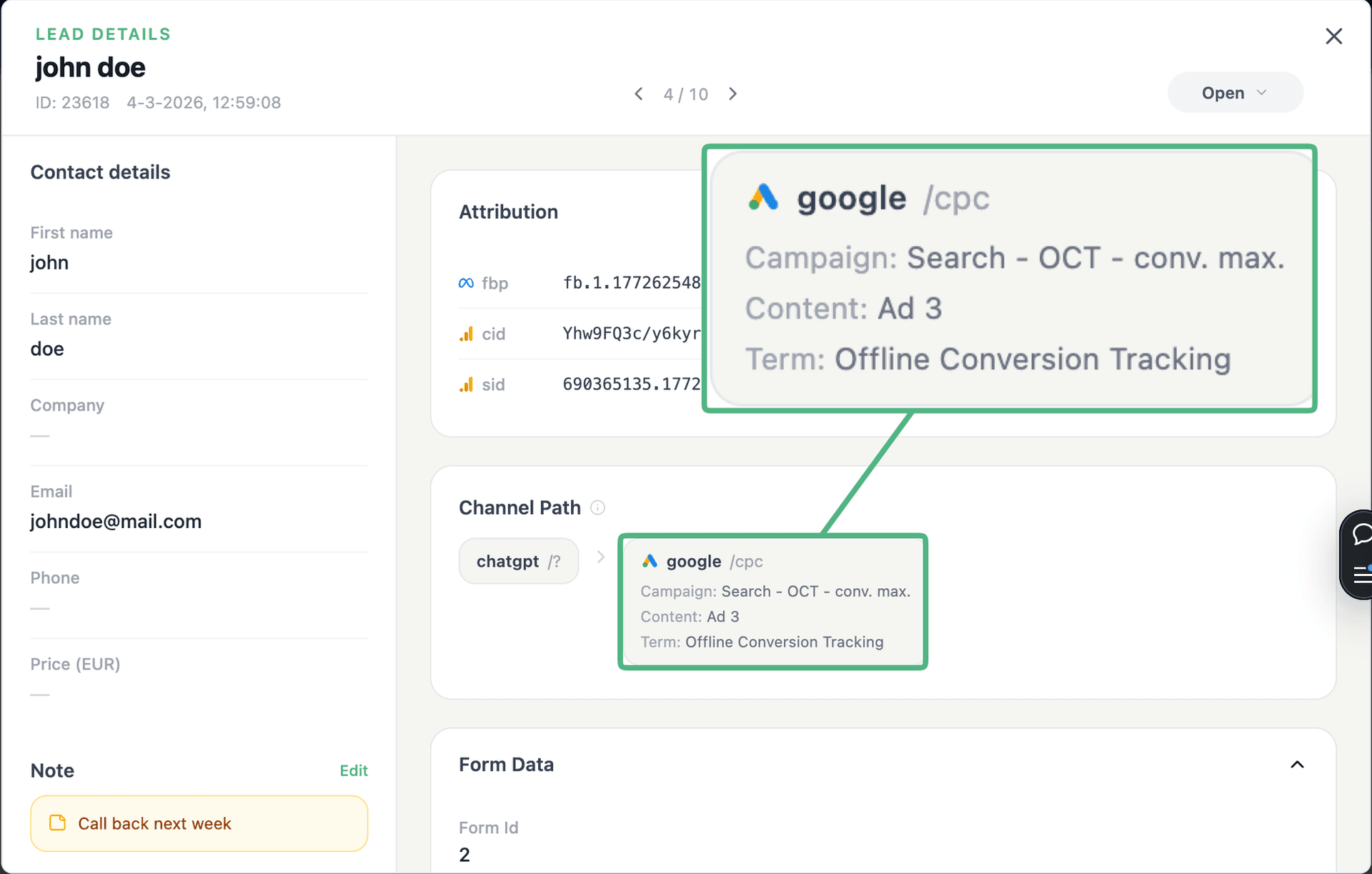
app.leadtrackr.io/project/myproject
LeadTrackr lead detail showing the full attribution and journey behind a single form submission

See the full customer journey of every form lead

The moment a form is submitted, LeadTrackr captures the lead with full attribution — the campaign, ad, keyword and landing page behind it. Qualify it with one click and follow the whole path, from the first ad click to the closed deal.

  • Every lead tied to its campaign, ad & keyword
  • One-click qualification, synced back to your ad platforms
  • The full path from form fill to closed deal

Plug & play

Send leads from any source

Post leads from any system, form or backend — full flexibility, full attribution.

How it works

Setup in 4 Steps

01

Add GTM to Webflow

Add the Google Tag Manager container code to your Webflow site via the custom code settings in your project or page settings.
02

Import LeadTrackr Tag

Import the LeadTrackr tag template from the GTM Community Template Gallery and configure it with your LeadTrackr account ID.
03

Configure Form Trigger

Set up a form submission trigger in GTM for your Webflow forms. LeadTrackr provides pre-built trigger configurations for Webflow.
04

Publish & Verify

Publish your GTM container and submit a test form. Verify the submission appears in your LeadTrackr dashboard with correct attribution data.

Get started free

Start tracking real conversions with Webflow

Connect it in minutes — no developer needed.

Start Free

5-min setup · cancel anytime

FAQ

Frequently asked questions

Yes. Since Webflow is not a WordPress platform, the LeadTrackr WordPress plugin cannot be used. Instead, LeadTrackr connects via Google Tag Manager, which Webflow fully supports through its custom code injection feature. GTM provides the bridge between your Webflow form submissions and LeadTrackr. You can use either client-side GTM or server-side GTM for the connection. The setup requires adding the GTM container snippet to your Webflow project settings, which takes about two minutes.
LeadTrackr works with both Webflow native forms and third-party form embeds. For native Webflow forms, the GTM trigger listens for the standard form submission event that Webflow fires on success. For third-party forms embedded via custom code (like Typeform or HubSpot), LeadTrackr can detect those submissions through their respective event listeners. Native Webflow forms are the simplest to configure because they use standard HTML form elements with predictable data attributes.
The LeadTrackr GTM tag includes a lightweight script that captures attribution data from the visitor session. When someone arrives on your Webflow site from a Google Ad, the script automatically extracts the GCLID from the URL and stores it in a first-party cookie. The same applies to fbclid from Meta Ads and UTM parameters from any campaign. When the visitor submits a form, this stored attribution data is bundled with the form data and sent to LeadTrackr.
Yes. LeadTrackr tracks form submissions on any Webflow page, including those behind Webflow Memberships gates. The GTM container loads on all pages where it is injected, and the LeadTrackr tag captures submissions regardless of membership status. The attribution data from the visitor session persists across login pages and gated content. This is useful for B2B sites that use Webflow Memberships for resource libraries or client portals with contact forms.
Webflow continues to store form submissions in its own Forms panel as it normally does. LeadTrackr does not replace or modify Webflow native form storage. Instead, it creates a parallel record with additional attribution data that Webflow does not provide. You can continue using Webflow form notifications and CSV exports while also using LeadTrackr for lead qualification and ad platform conversion reporting. Both systems operate independently without any conflict.

Get started free

Connect Webflow with LeadTrackr

Set up Webflow in minutes — no developer needed.

Start Free

5-min setup · cancel anytime