

Step 1: Connect Your Google Account
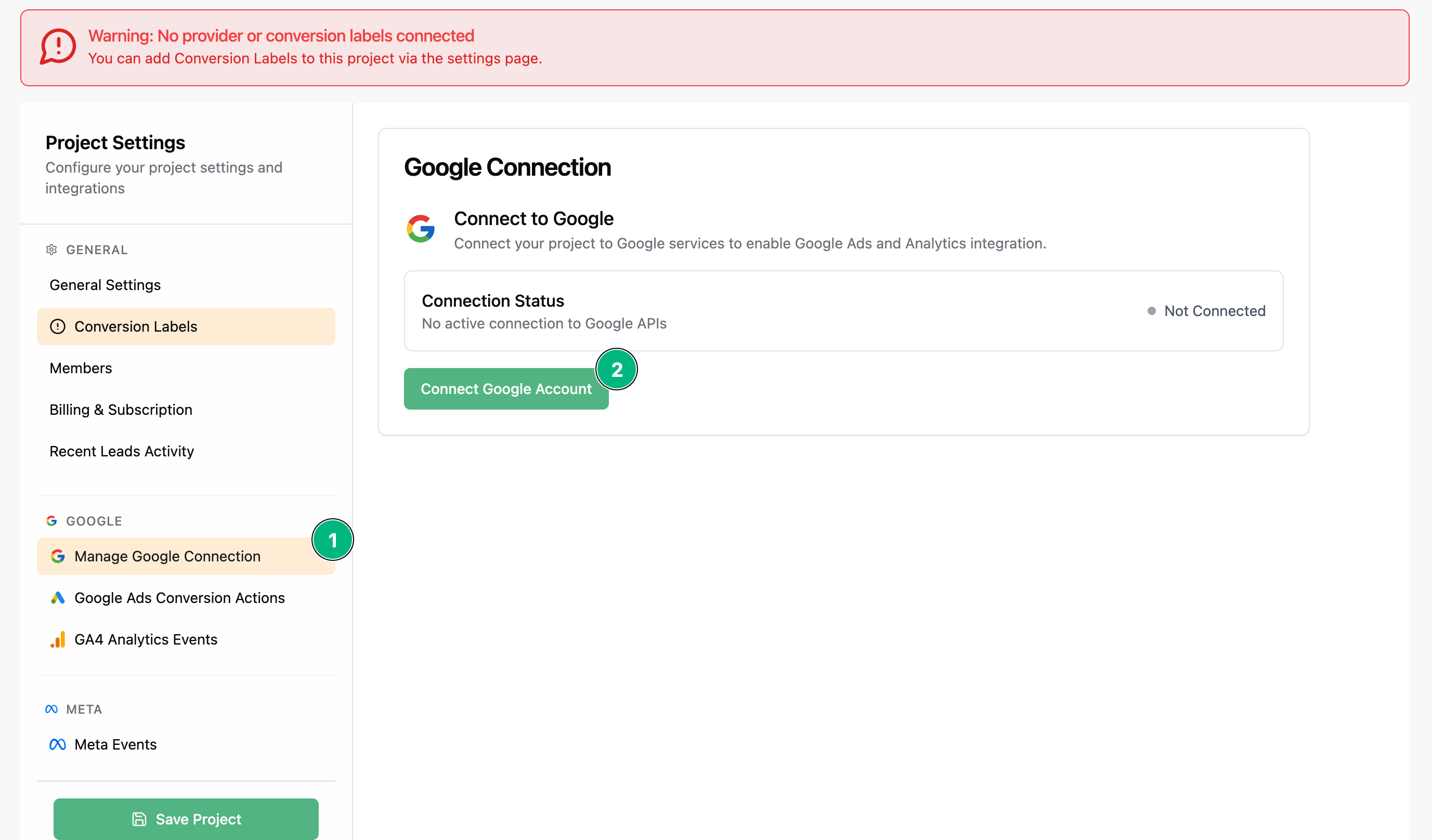
Start by connecting your Google account in LeadTrackr.- Go to your project settings.
- Click on Manage Google Connection.
- Click Connect Google Account.
- Follow the prompts to authorize your account.
Make sure this Google account is connected to your Google Ads and Google Analytics accounts.
Step 2: Choose Your GA4 Property
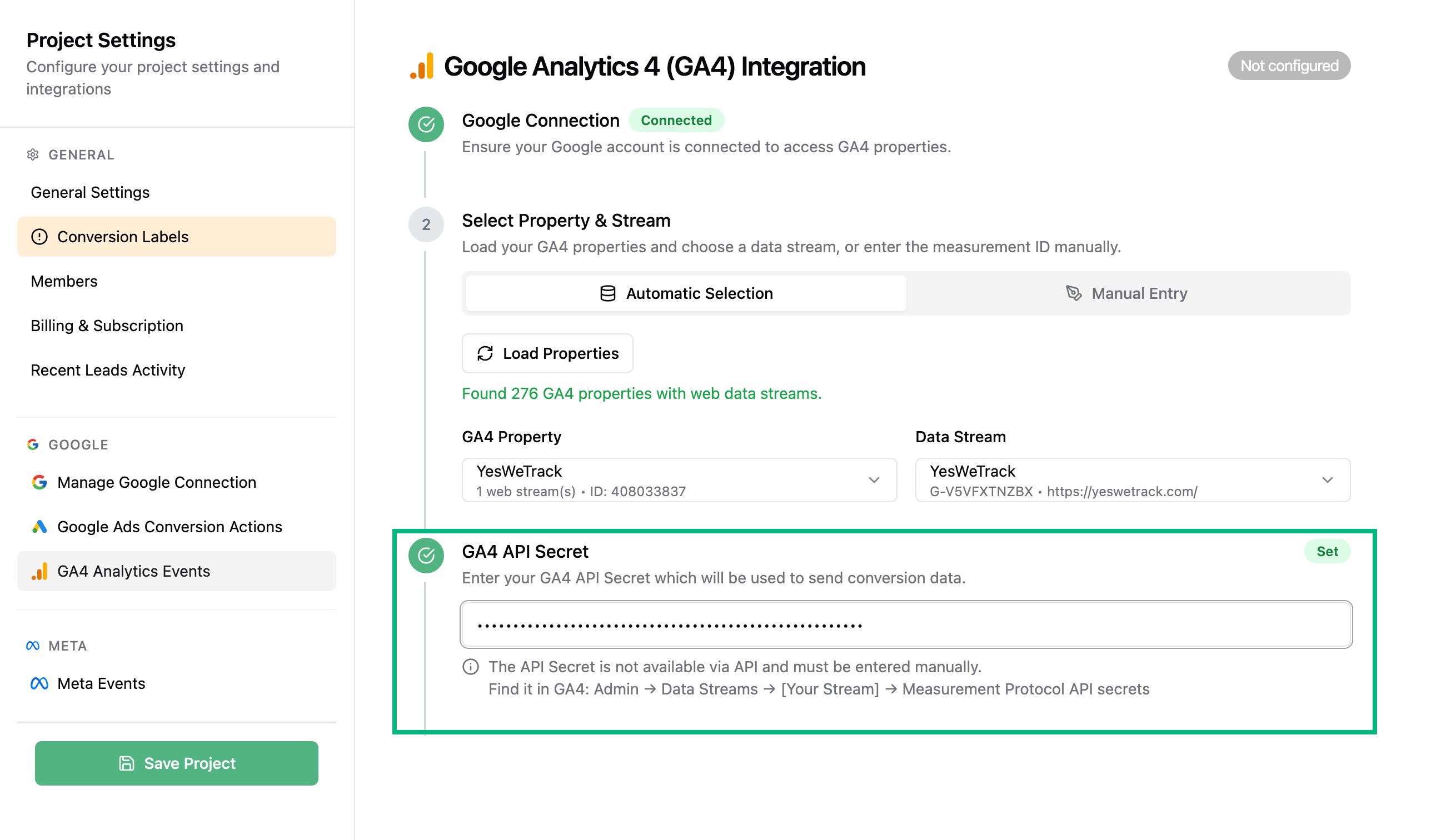
Once connected, go to the GA4 Analytics Events tab.- Select the GA4 property you want to integrate with.
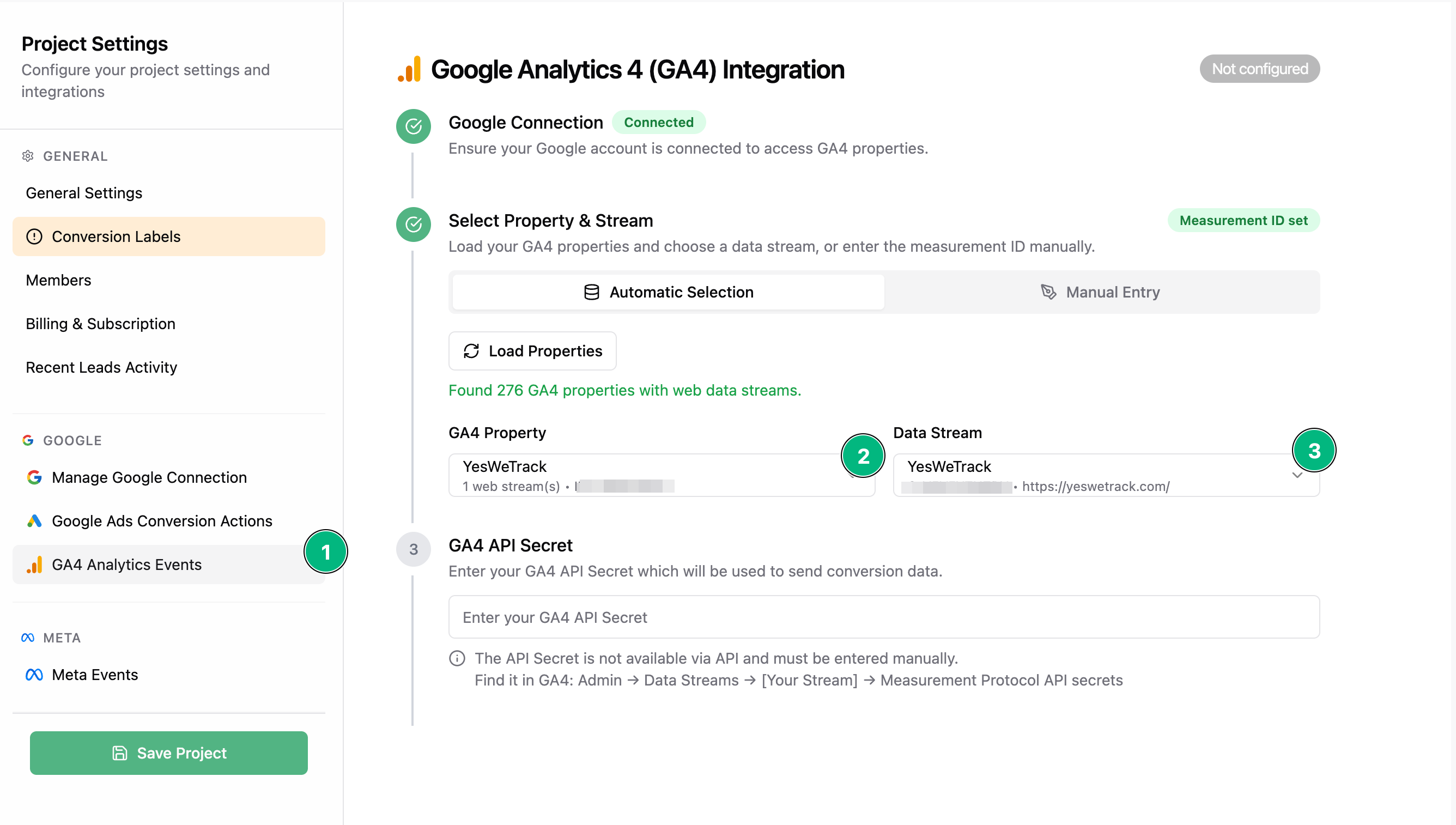
- Choose Manual Entry
- Enter your Measurement ID (looks like
G-XXXXXXX)
Step 3: Create a GA4 API Secret
Now we need to create an API Secret for the Measurement Protocol.- Go to your Google Analytics property
- Navigate to: Admin → Data collection and modification → Data streams
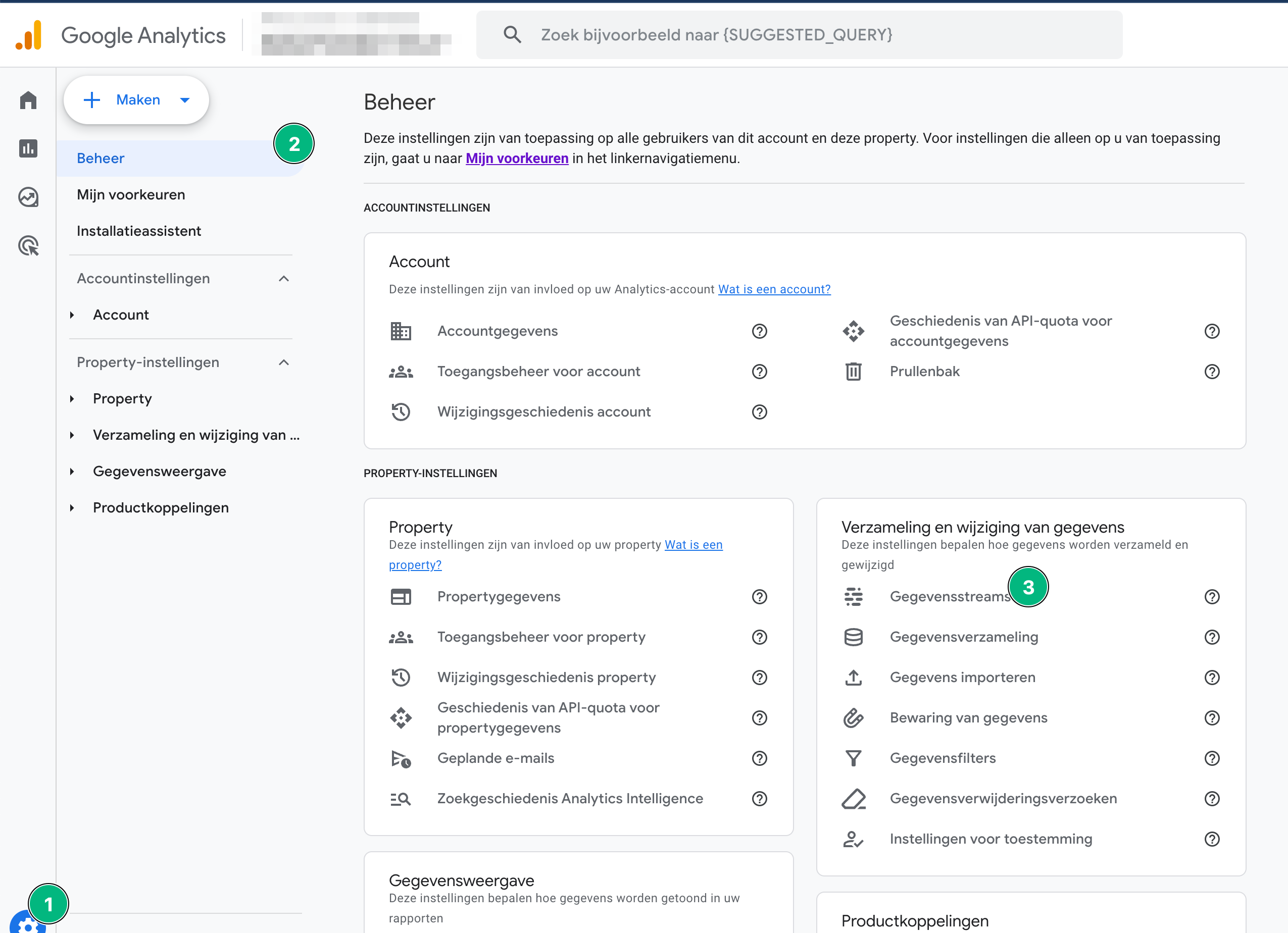
- Choose your data stream
- Click on Measurement Protocol API secrets
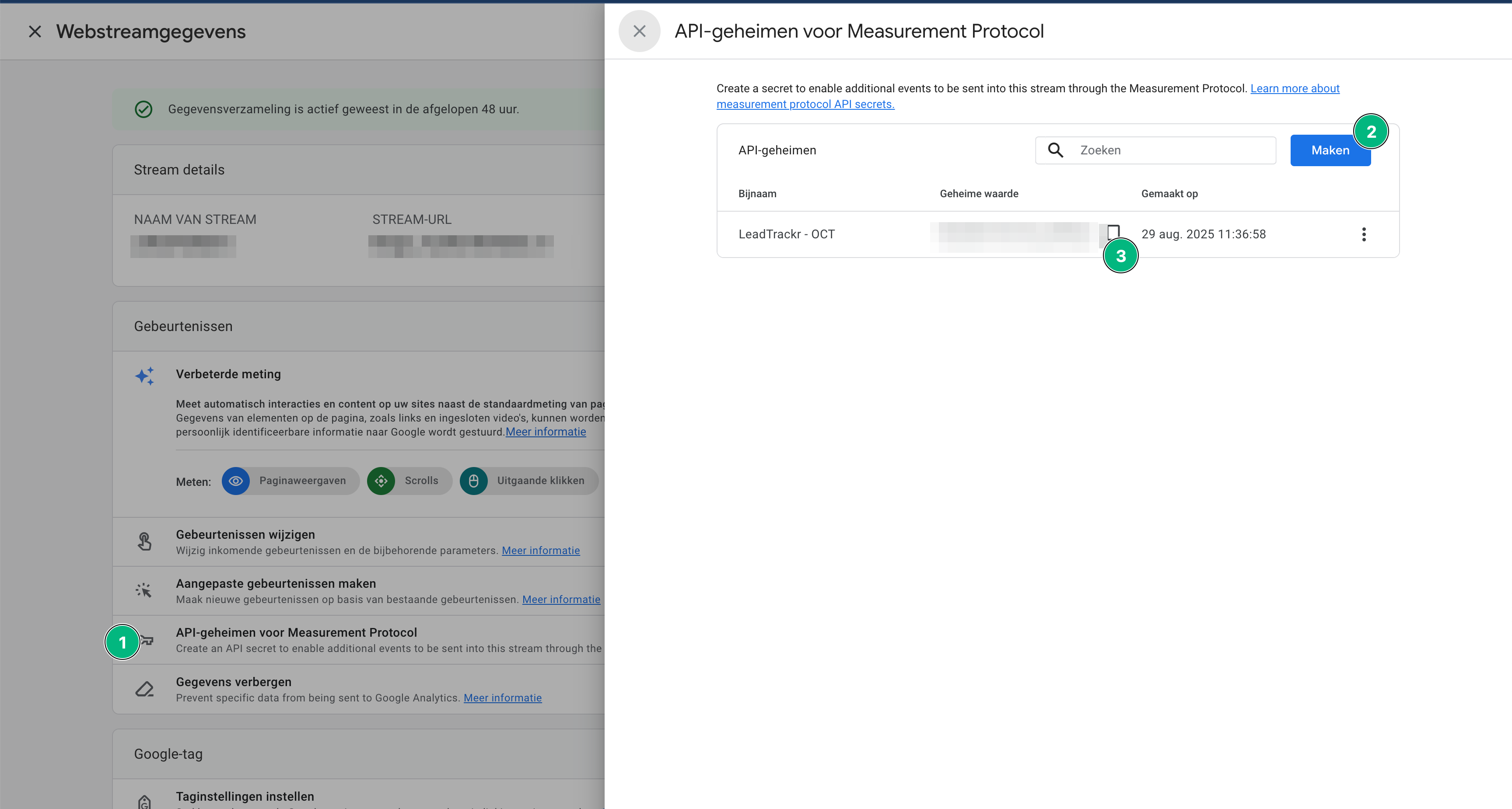
- Click Create and make a new API Secret, give it a name (e.g. “LeadTrackr Integration”)
Step 4: Copy and Paste the Secret
- Copy the generated API secret
- Go back to the GA4 integration tab in LeadTrackr
- Paste the secret into the API Secret field
What’s Next?
Your GA4 integration is ready — now link your sales actions to GA4 events using conversion labels.Set Up Conversion Labels
Link your lead statuses to GA4 events