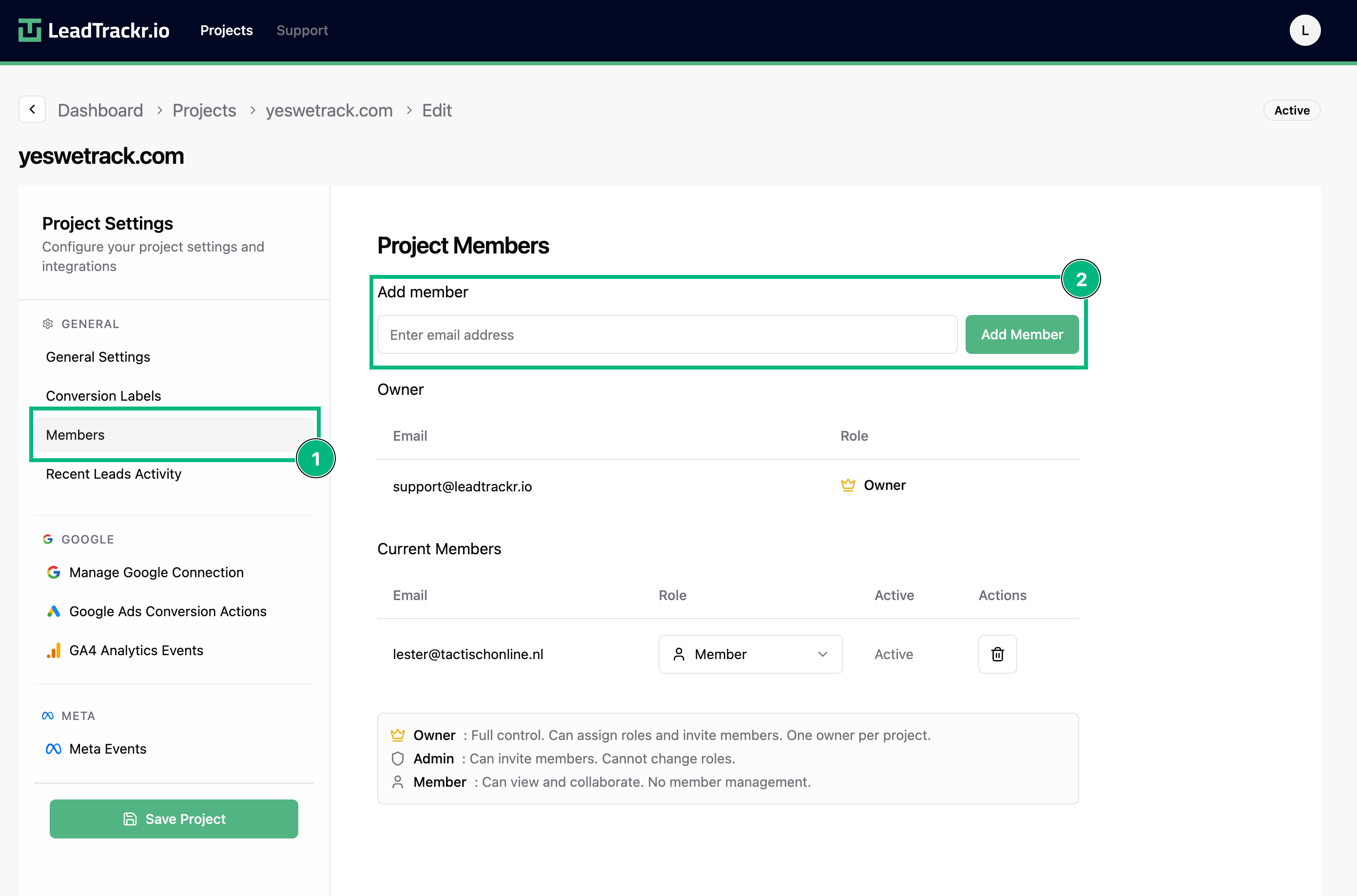
Step 1: Open the Project Settings
- Go to the project where you want to add a member.
- Click Edit Project in the top-right corner.
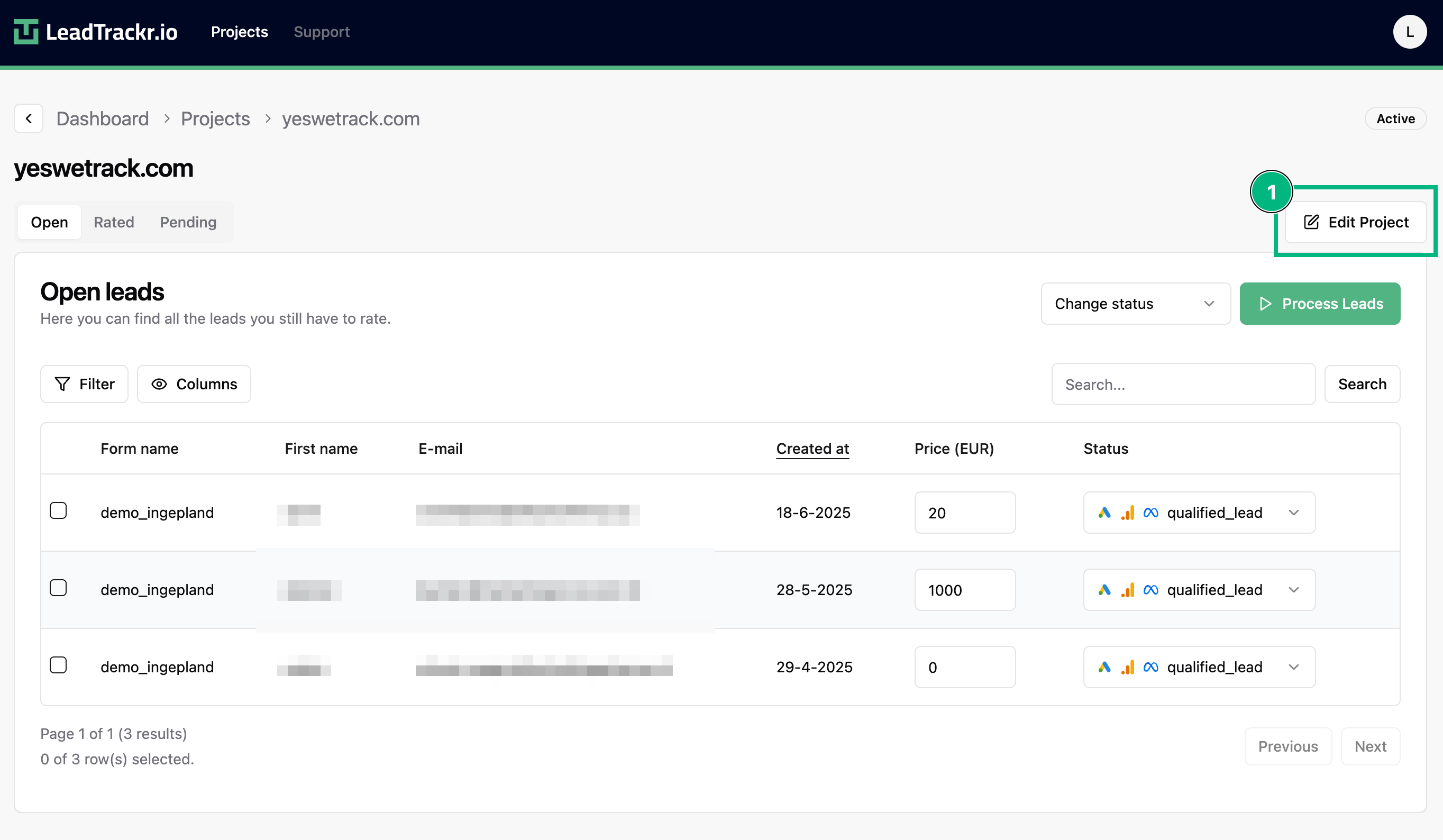
Step 2: Add a Member
- Navigate to the Members section in the sidebar.
- Enter the email address of the person you want to invite.
- Click Add.