
















Stop Paying for Leads That Never Buy

39% Average Increase in Converting Leads

LeadTrackr sends real sales data back to Google & Meta so their algorithms find buyers, not just form-fillers. Set up in minutes, no developer needed.

Start Free Trial

Cancel anytime

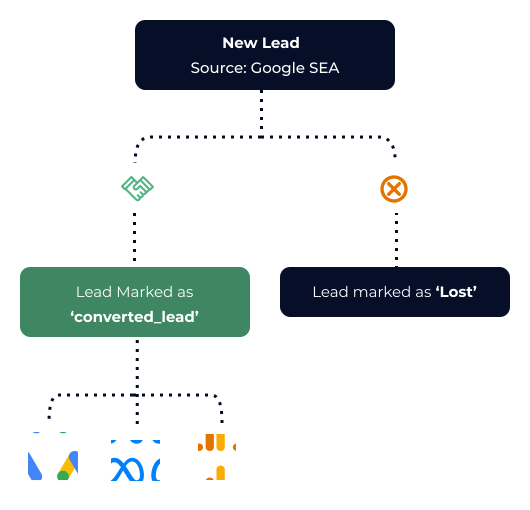
Data flow from lead capture to ad platform optimization
4.9

25+ Google Reviews

  • Stop wasting budget on bad leads
  • Turn more clicks into customers
  • No complex setup, start OCT in minutes

Trusted by advertisers and agencies

39%
More converting leads
5 min
Setup time
  • Ads Intelligence
  • Adsposure
  • BrandVisible
  • Confixo
  • Druktemaker
  • Klikko
  • NuVooruit
  • Onmates
  • Reward
  • Search Ascent
  • TaskForce
  • Welkin Marketing

What Is Offline Conversion Tracking?

Standard tracking tells ad platforms someone filled out a form. Offline conversion tracking tells them who actually became a customer.

Without LeadTrackr

page_viewPage View
form_startForm Start
generate_leadLead Submitted
🚫

Tracking stops at the form fill

Your ad platforms never learn which leads actually converted. Budget keeps flowing to clicks that don't close.

With LeadTrackr

Full Funnel Tracking

page_view
Page View
form_start
Form Start
generate_lead
Lead Submitted
qualified_lead
Lead Qualified
converted_lead
Deal Closed€2.500

Syncs back to your ad platforms

Google AdsMeta AdsGoogle Analytics 4Microsoft AdsLinkedIn Ads

The Difference LeadTrackr Makes

Without LeadTrackr

  • Ad platforms optimize on form fills, not revenue
  • Budget wasted on leads that never convert to customers
  • No visibility into which campaigns drive actual sales
  • Algorithms learn from junk leads and targeting gets worse every month

With LeadTrackr

  • Ad platforms optimize on qualified leads that actually buy
  • Budget focused on leads that convert to real revenue
  • Full attribution from ad click to closed sale
  • Algorithms learn from buyers, so targeting improves automatically

See How It Works in 2 Minutes

How LeadTrackr Works

1

Connect Your Forms

Install the WordPress plugin or set up via Google Tag Manager. Supports Gravity Forms, Elementor, CF7, WPForms, and more.
2

Capture Every Lead

All form submissions flow into your dashboard with full attribution data. See exactly which ad, keyword, and campaign drove each lead.
3

Qualify Your Leads

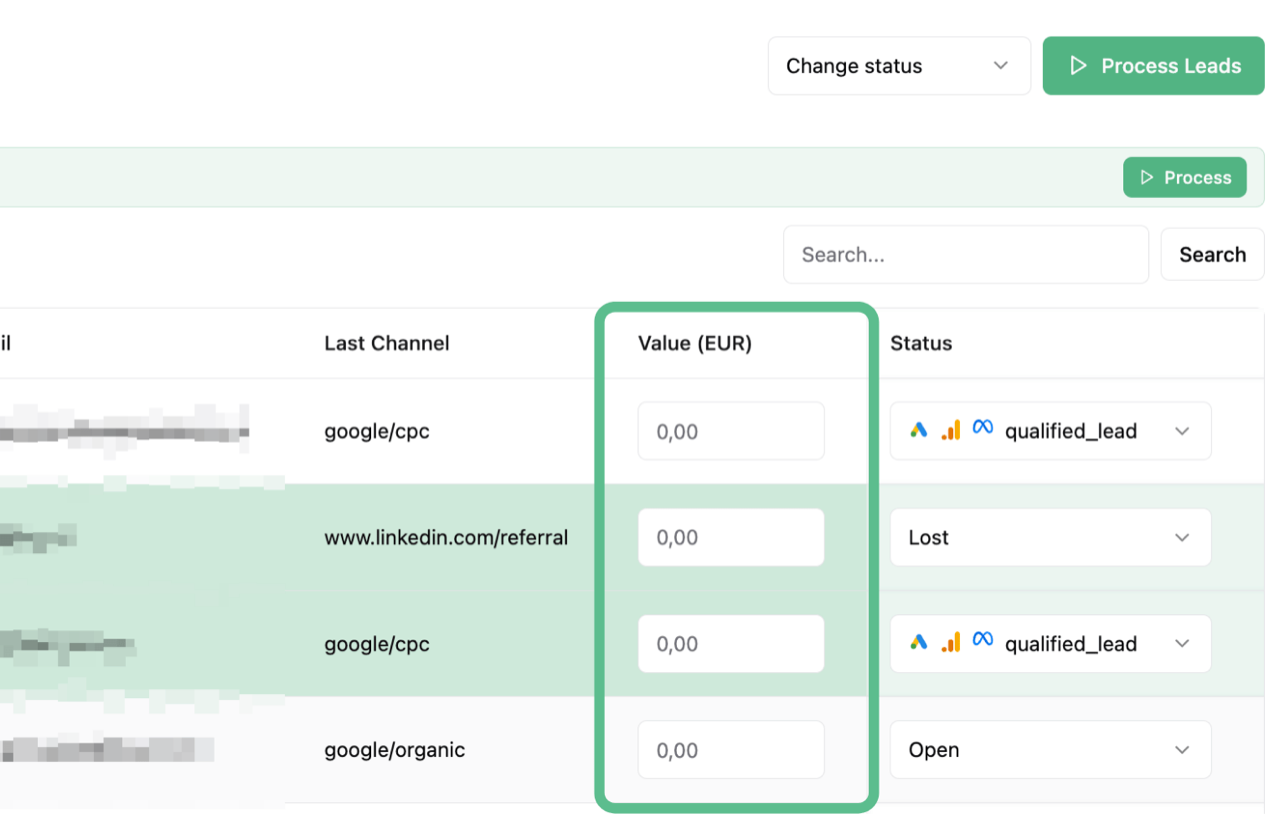
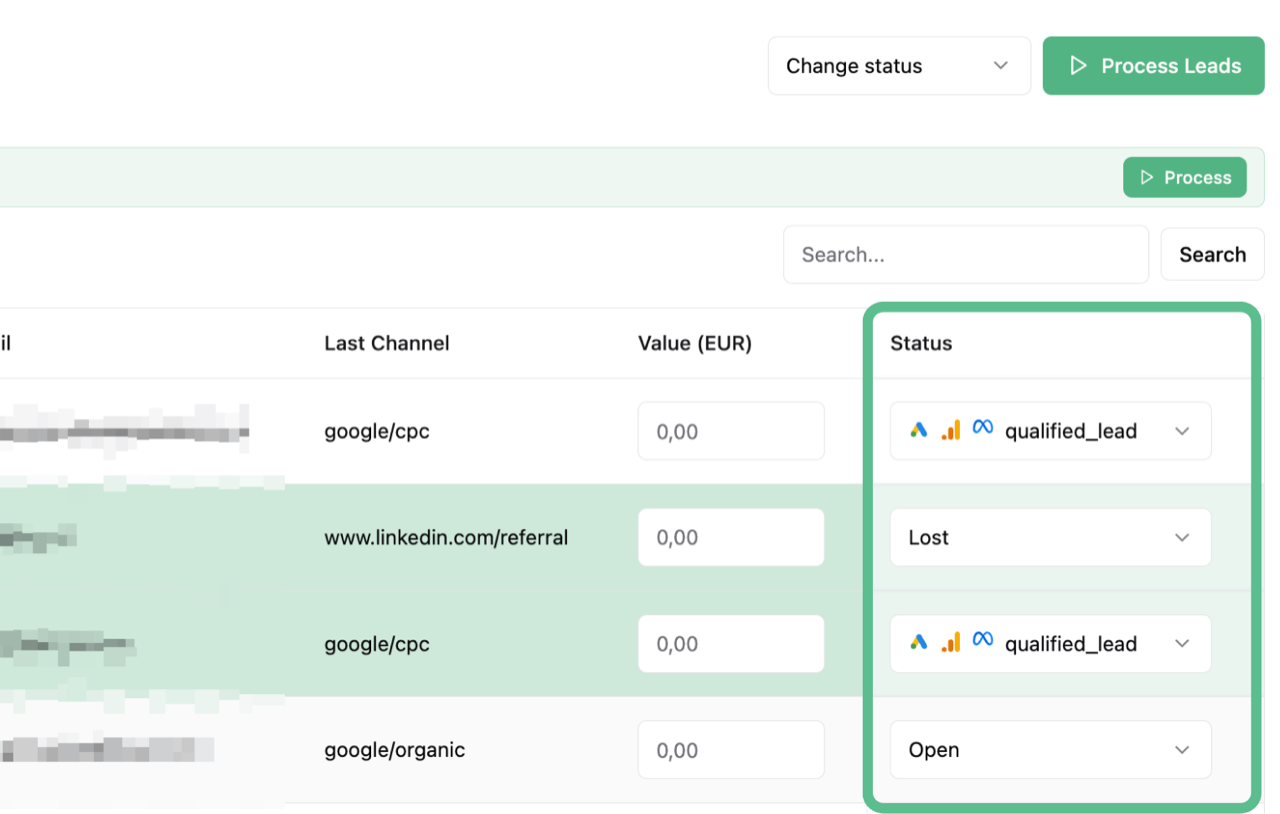
Mark leads as "Qualified" or "Converted" based on real sales outcomes. No more guessing which leads are valuable.
4

Push Real Conversions

LeadTrackr automatically sends qualified lead and converted lead events back to Google Ads, Meta, and GA4.
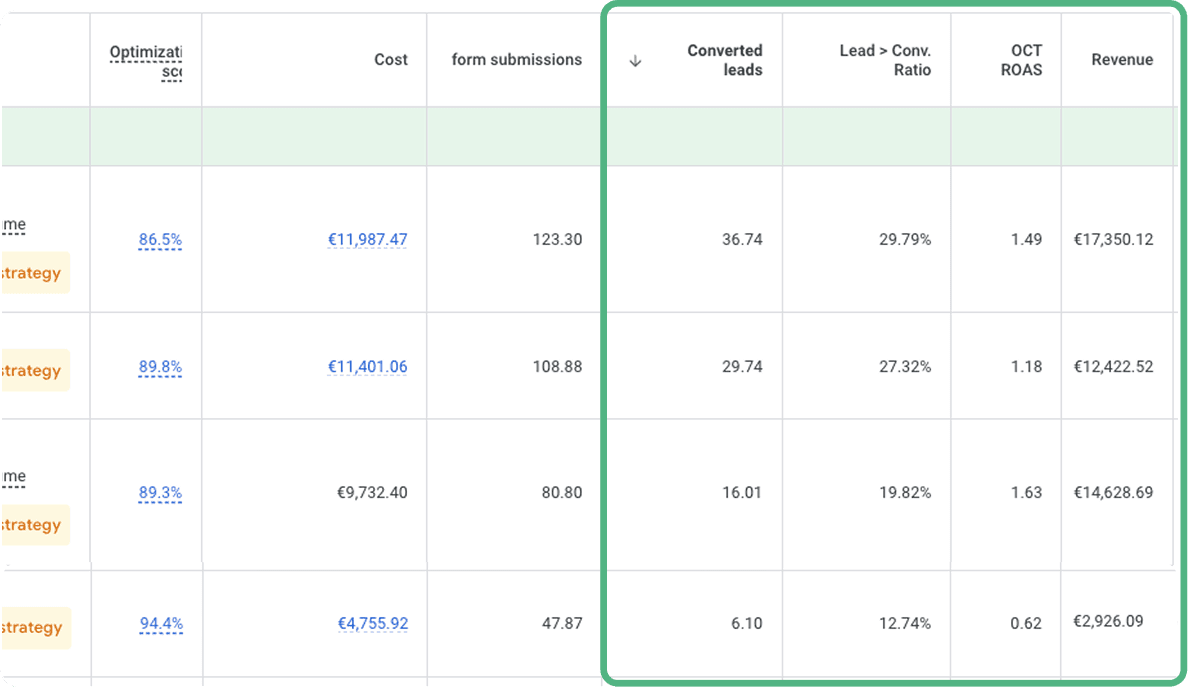
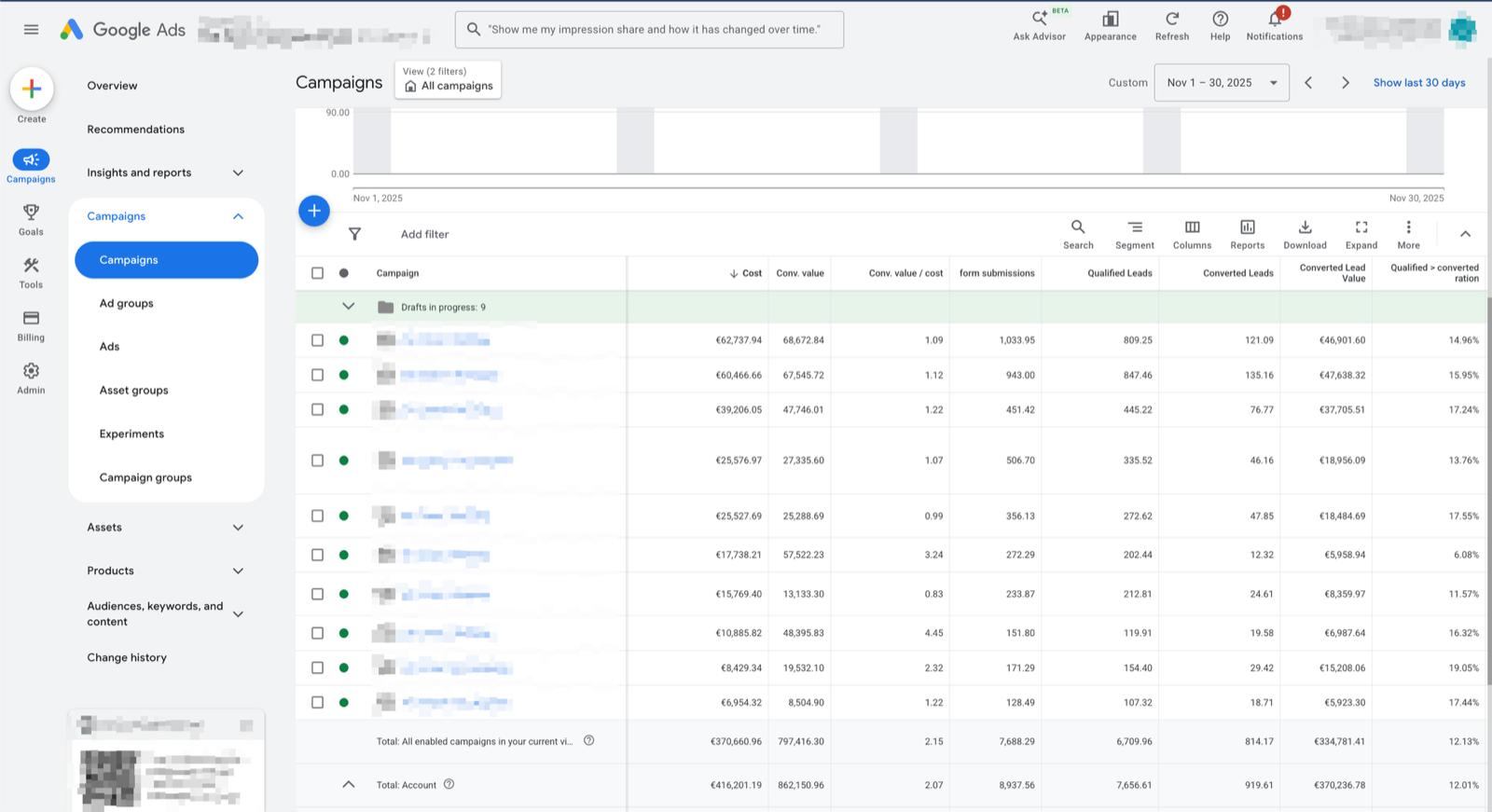
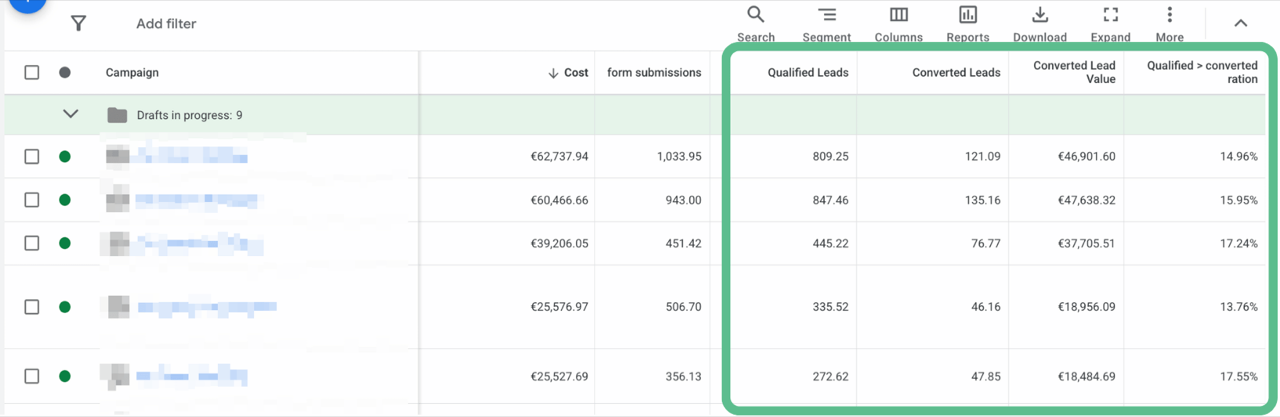
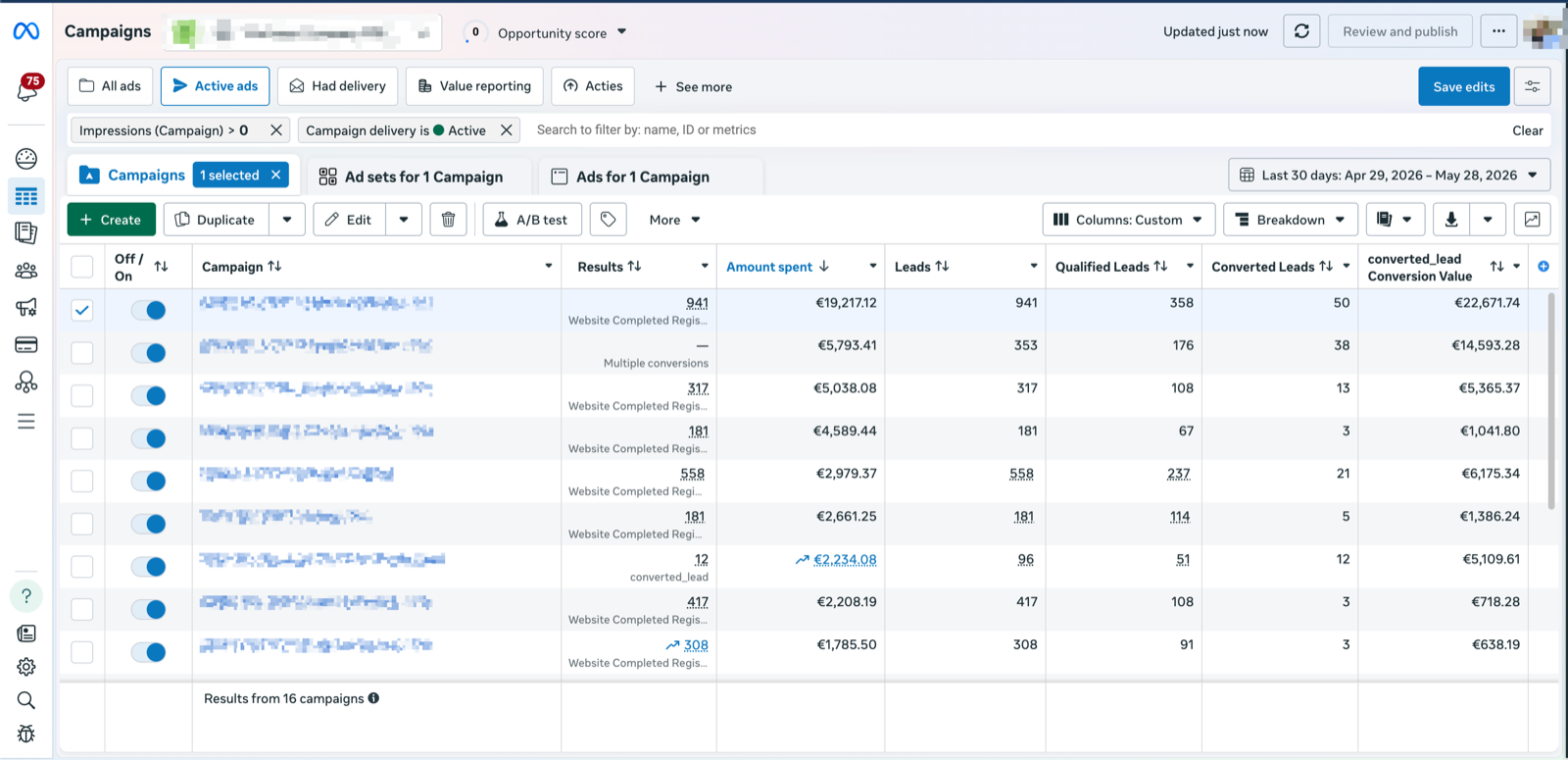
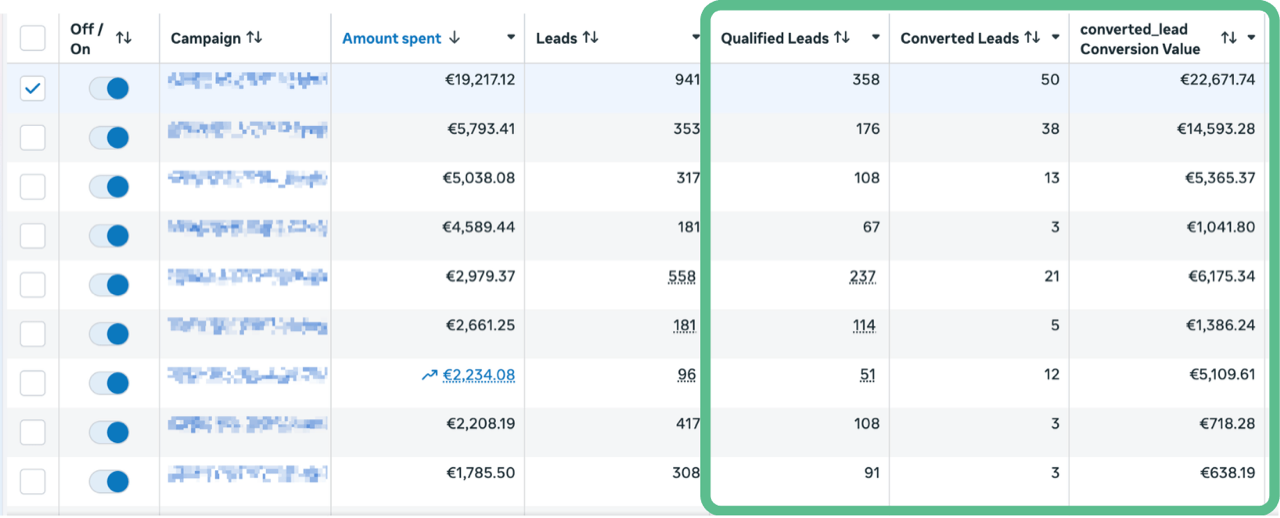
Google Ads campaign overview showing offline conversion data from LeadTrackr

See Offline Conversions in Your Ad Platforms

LeadTrackr sends qualified lead and closed-deal events straight into Google Ads, Meta, and your other ad platforms. Their algorithms pick up the signal and automatically shift budget to the keywords, audiences, and ads that drive real revenue, not just form fills.

  • Offline conversions visible per campaign and keyword
  • Ad algorithms optimize on actual sales data
  • ROAS based on revenue, not lead volume

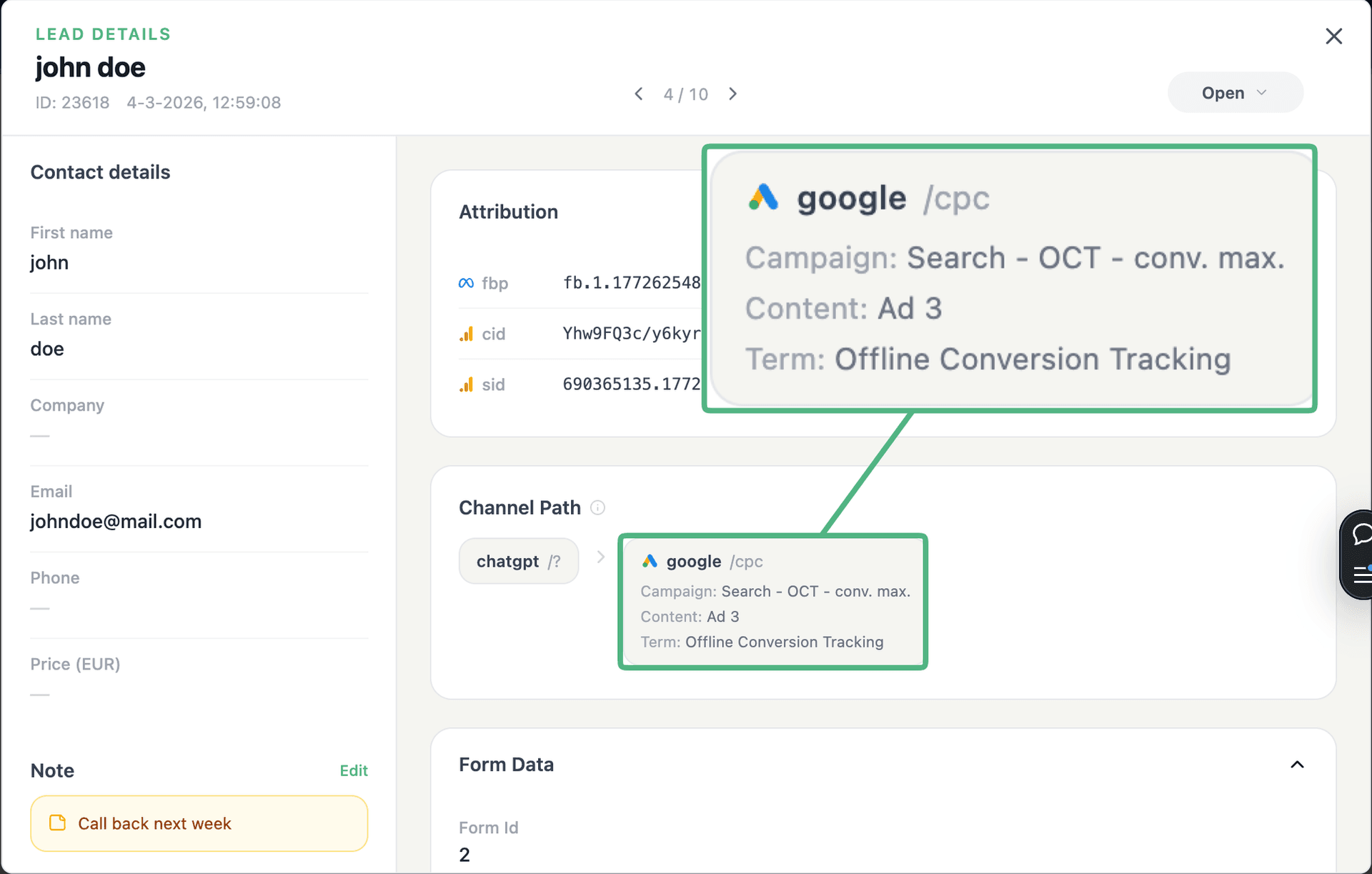
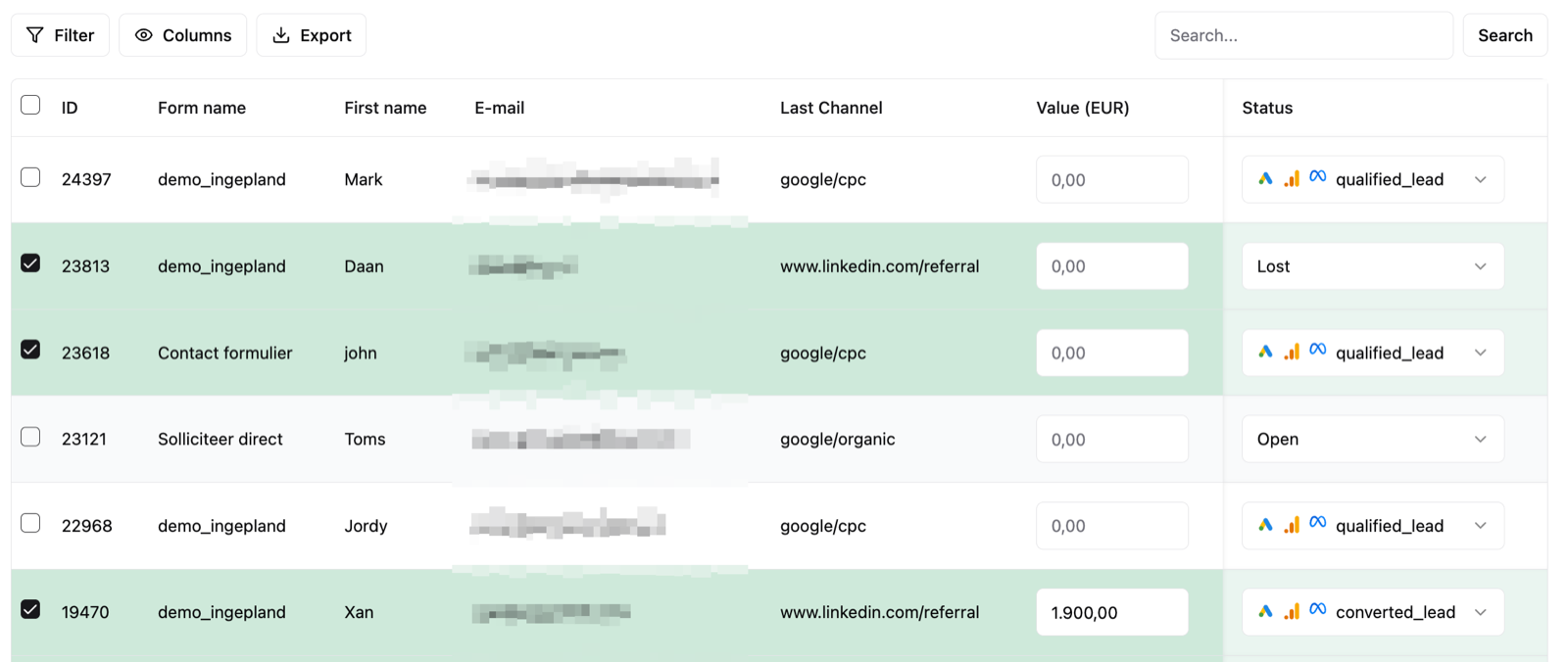
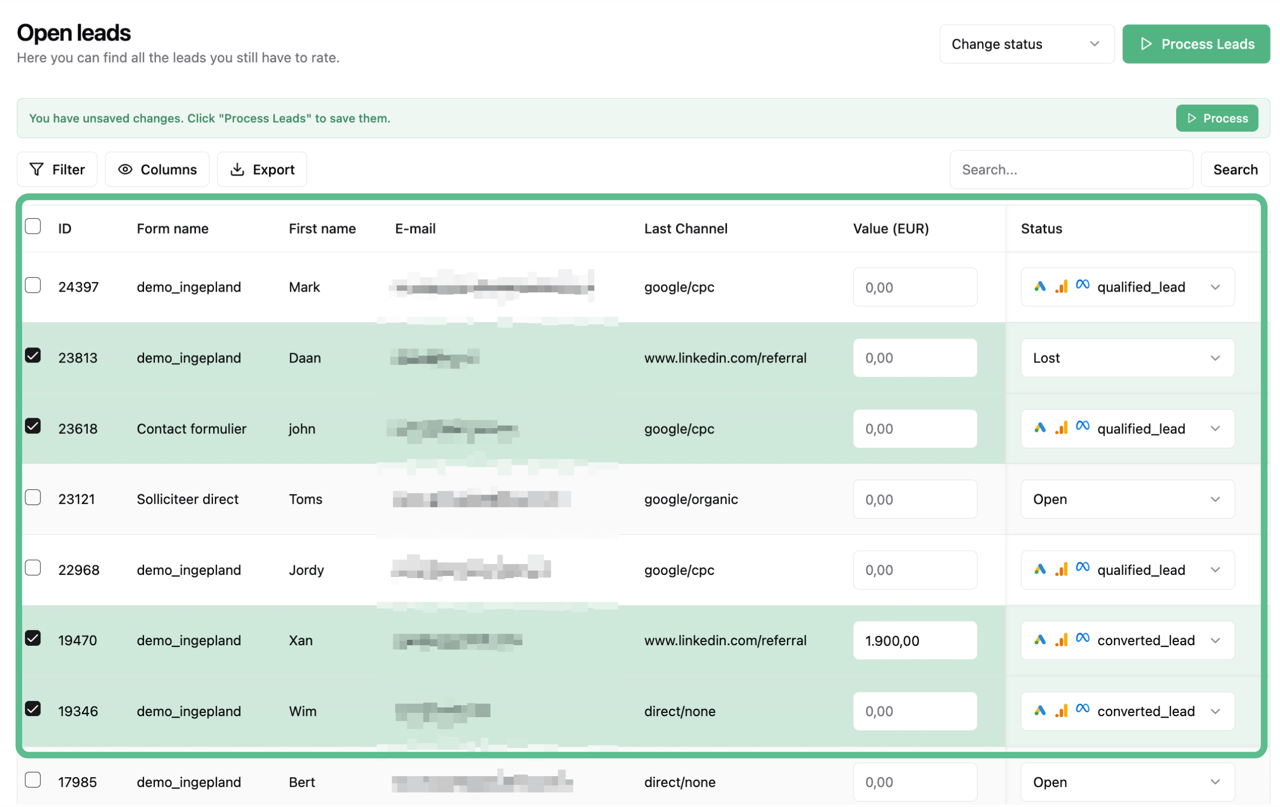
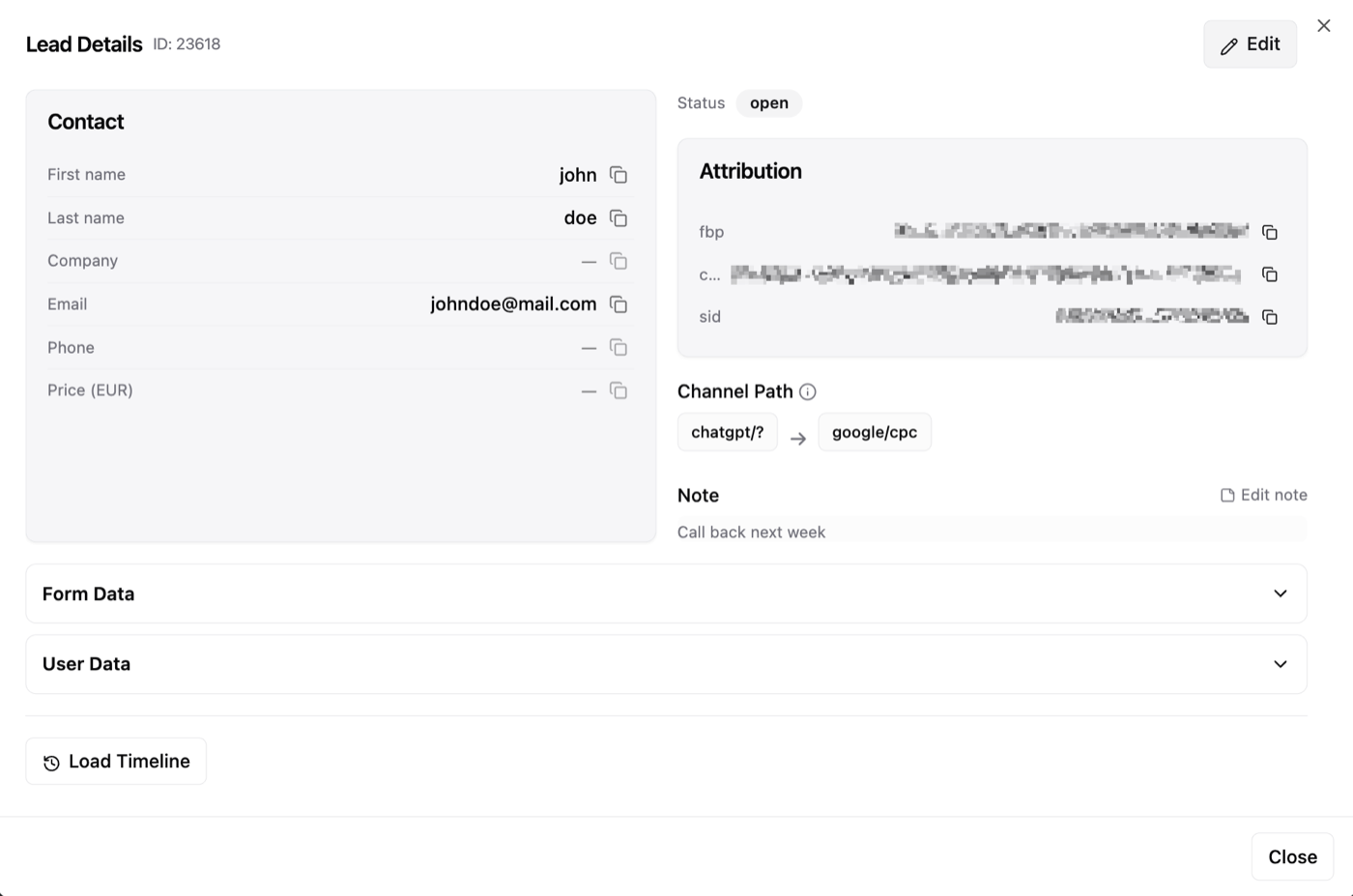
Know Exactly Which Leads Convert

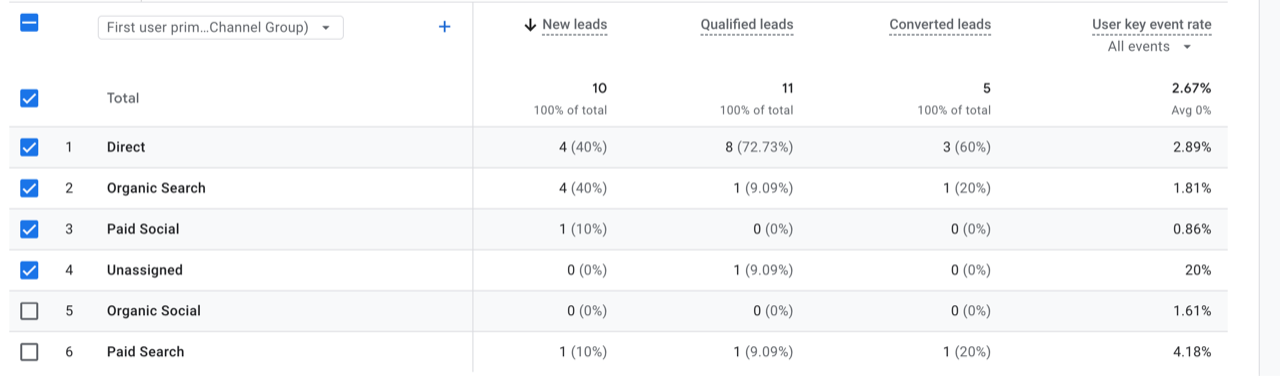
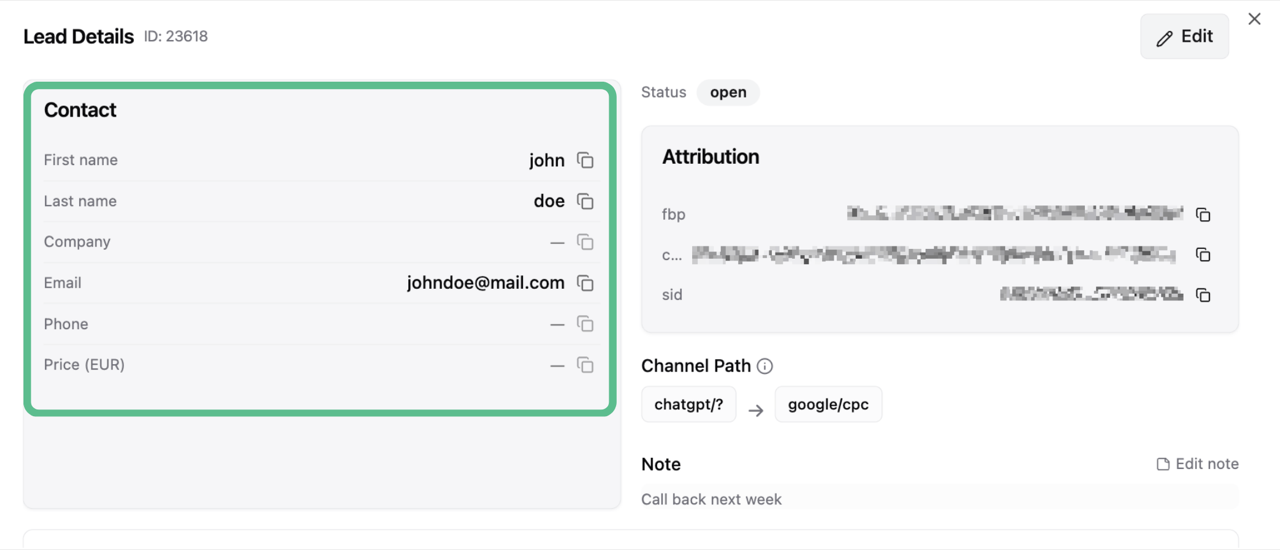
Your LeadTrackr dashboard shows every lead with full attribution: which campaign, ad group, keyword, and landing page brought them in. Qualify leads with one click and the data flows back to your ad platforms automatically.

  • Full attribution from click to closed deal
  • One-click lead qualification
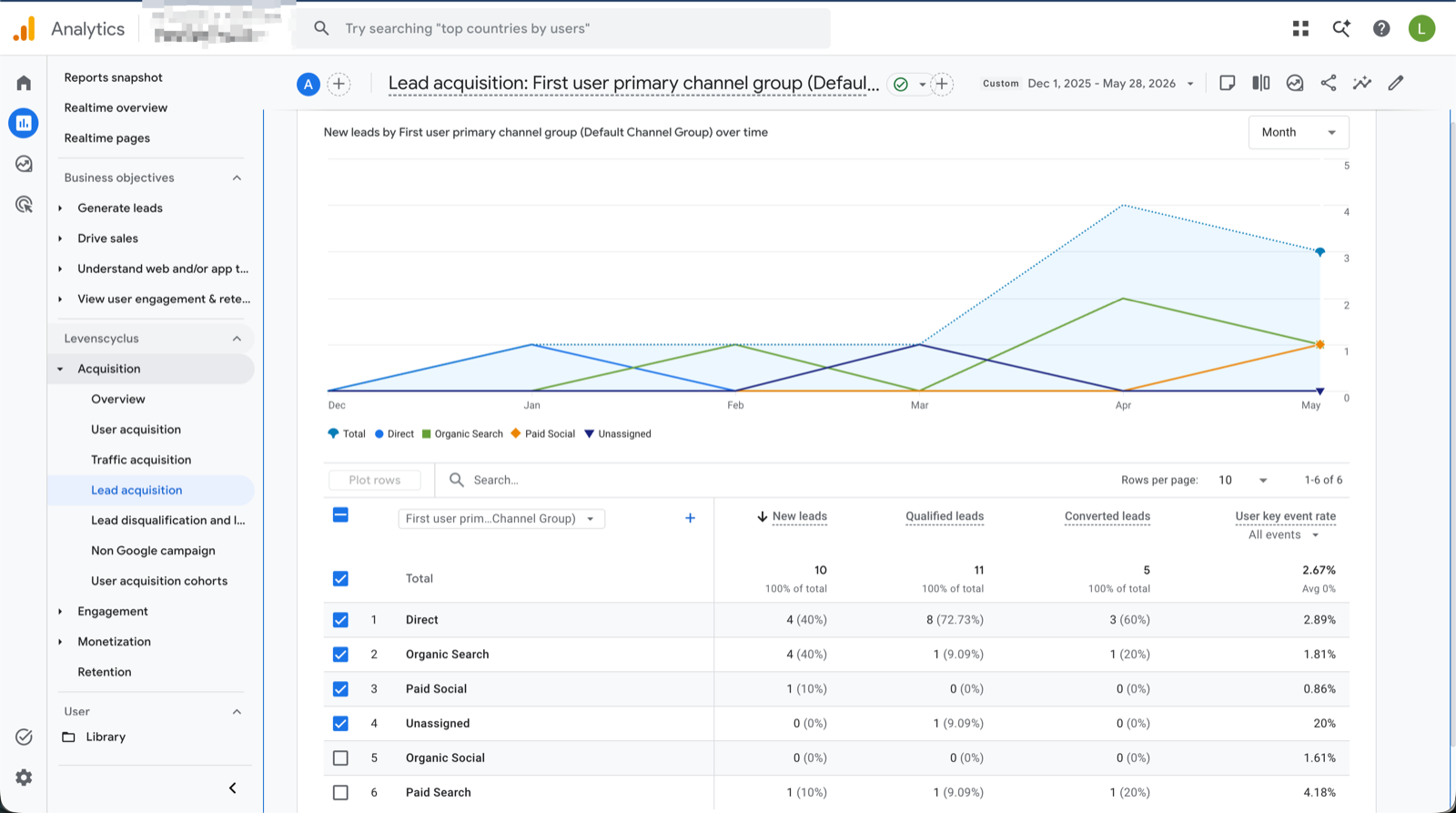
  • Real-time sync with Google, Meta & GA4
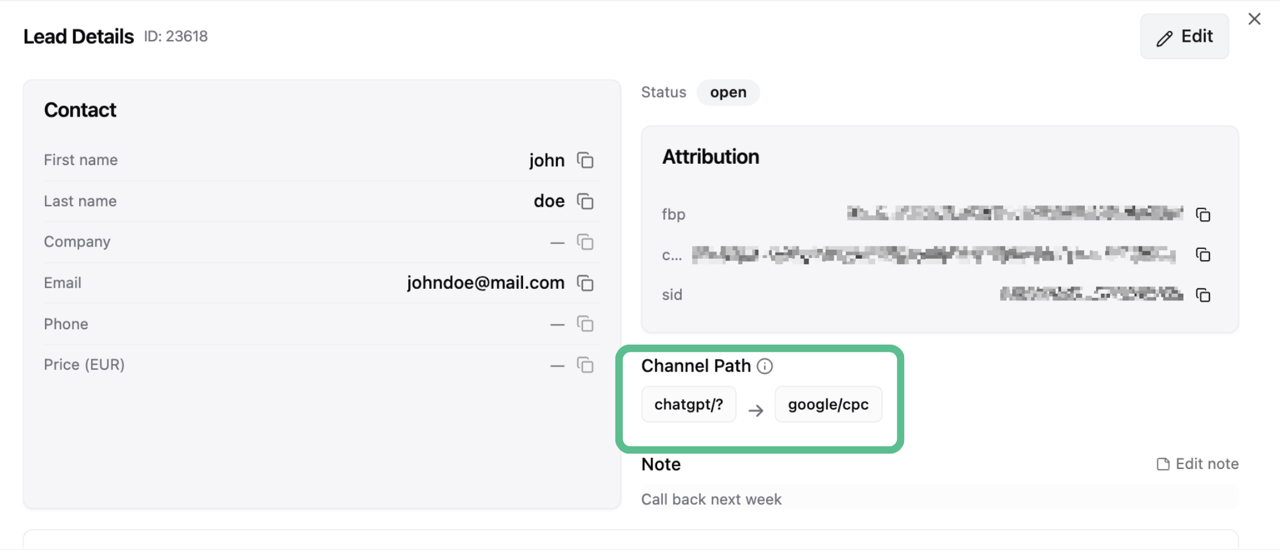
LeadTrackr channel flow showing the full customer journey from ad click to conversion

Conversion Destinations: Ad Platform Integrations

Send qualified conversion data to your ad platforms so their algorithms optimize on real sales, not just form fills.

Google Ads

Google Ads

Send qualified conversion data back to Google Ads for smarter Smart Bidding.

Meta Ads

Meta Ads

Push offline conversions via the Conversions API for better ad delivery.

Google Analytics 4

Google Analytics 4

Send conversion events via the Measurement Protocol for complete reporting.

Lead Sources: Lead Capture Integrations

Capture every form submission with full attribution data. Works with the tools you already use.

WordPress Plugin

WordPress Plugin

Automatically capture submissions from Gravity Forms, Elementor, CF7, WPForms, Fluent Forms, and more.

Google Tag Manager

Google Tag Manager

Connect any form on any website via our client-side or server-side GTM tag.

API Integration

API Integration

Send leads from any source via our REST API for full flexibility.

Calculate your potential ROI

See how much extra revenue LeadTrackr can generate for your business

200leads/mo
200 leads
02002,0005,000+
%
€

Additional revenue per month

+€10,000

Based on 39% average improvement from better lead attribution

New customers / month

+20

at 39% more attributed sales

Recommended plan

Starter

Up to 200 leads/mo

Based on LeadTrackr customer data, advertisers typically increase their sales from ads by 15-30% within the first 3 months.

Frequently Asked Questions

No. If you use WordPress with Gravity Forms, Elementor Forms, Contact Form 7, or WPForms, you can set up LeadTrackr in less than 5 minutes with our plugin. No code required.
Most customers see improved ROAS within 2-4 weeks. Once LeadTrackr starts feeding qualified conversion data back to your ad platforms, the algorithms quickly learn to find better leads.
Yes. LeadTrackr is fully GDPR-compliant. Your data is encrypted, stored securely in the EU, and never shared with third parties.
Absolutely. LeadTrackr works alongside Google Analytics, Google Tag Manager, and your existing conversion tracking. It doesn't replace your current setup, it upgrades it by adding offline conversion tracking.
Currently Google Ads, Meta Ads (Facebook/Instagram), and Google Analytics 4. Microsoft Ads and LinkedIn Ads integrations are coming soon.

Start Tracking Real Conversions for Free