> ## Documentation Index
> Fetch the complete documentation index at: https://leadtrackr.io/docs/llms.txt
> Use this file to discover all available pages before exploring further.
# Set Up Conversion Labels
> Conversion labels allow you to connect lead statuses in LeadTrackr to actual conversion events in your ad platforms or analytics tools.
**Before You Begin** — Make sure you've already set up your integrations with the platforms where you want to send offline conversions:
* [Set Up the GA4 Integration](/docs/integrations/ga4)
* [Setting Up Google Ads Conversions](/docs/integrations/google-ads)
* [How to Set Up the Meta (Facebook) Integration](/docs/integrations/meta)
## Step 1: Go to the Conversion Labels Tab
1. Open your project in LeadTrackr
2. Go to **Project Settings**
3. Go to the **Conversion Labels** tab in the menu
## Step 2: Create a New Conversion Label
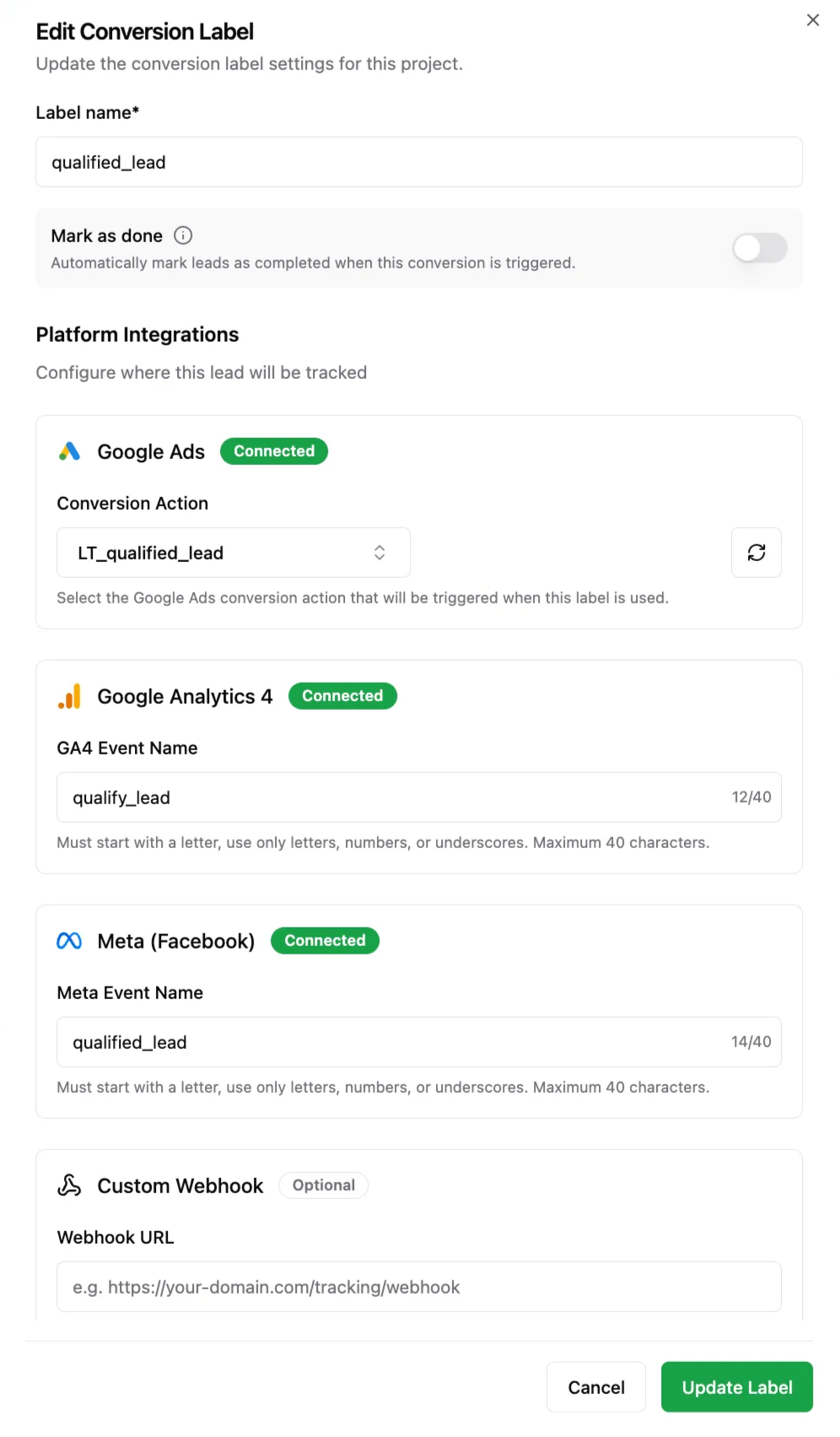
Click **Create Label** and fill in the following:
* **Label name** — choose a clear name like "Qualified Lead", "Appointment", or "New Client"
* **Mark as Done**:
* If enabled: lead goes to the *Rated* tab after processing
* If disabled: lead can be qualified again later (e.g. for multi-step conversions)
* **Ad platform conversion** — link this label to the matching event in:
* Google Ads (Create an Offline Conversion Action)
* Meta Ads (using Event Name)
* Google Analytics 4 (using GA4 event name)
 To get the most out of your setup, we recommend reading [Structure Your Conversion Labels for Better Ad Performance](/docs/conversion-labels/structure-conversion-labels) first.
## You're Ready to Track Real Conversions
Once your labels are set up and linked to the right integrations, you can start:
* Rating leads using these labels
* The real offline conversions will be sent back to your ad platforms
* And you can start optimizing campaigns based on **actual lead quality**
To get the most out of your setup, we recommend reading [Structure Your Conversion Labels for Better Ad Performance](/docs/conversion-labels/structure-conversion-labels) first.
## You're Ready to Track Real Conversions
Once your labels are set up and linked to the right integrations, you can start:
* Rating leads using these labels
* The real offline conversions will be sent back to your ad platforms
* And you can start optimizing campaigns based on **actual lead quality**